
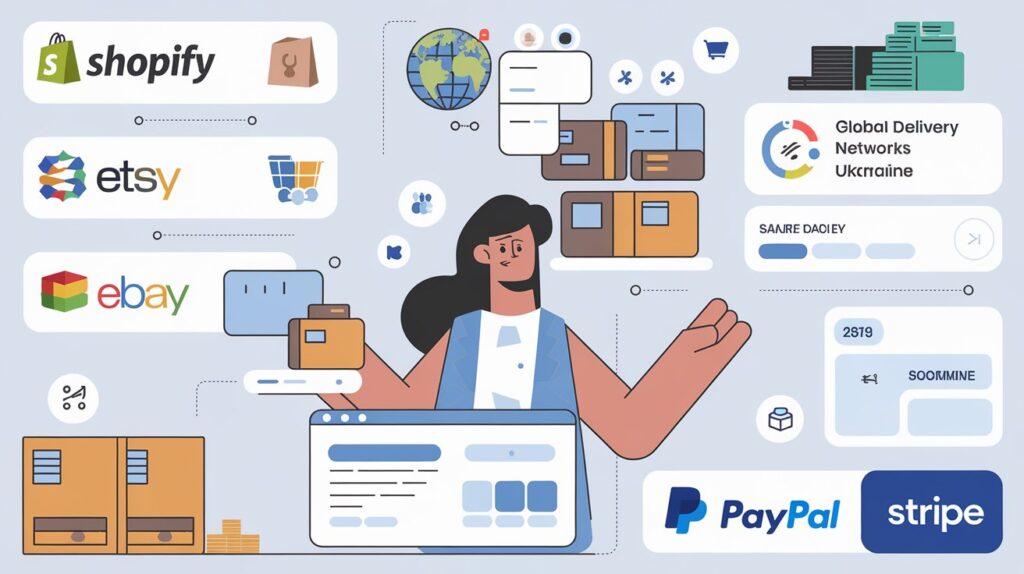
Step-by-step guide to quickly start a successful collaboration with Western Bid services:
– Accepting payments and shipping from Ukraine for sales through your own website (Shopify, WordPress, OpenCart, etc.)
– Shipping for sellers on Etsy
– Shipping for sellers on eBay
– Accepting international payments and shipping for sellers via social networks
– International shipping for sellers on other platforms
– How to ship a package quickly
– How to pay for a shipment
– What to consider when setting the shipping cost in your stores
Payment acceptance and shipping from Ukraine for sales through your own website (Shopify, WordPress, OpenCart, etc.)
For a quick start with your own site built on platforms such as Shopify, WordPress, OpenCart, etc., you need:
- Verify your profile in the Western Bid system. Instructions here.
- After your profile is verified you need to submit an application for connecting the payment gateway here or through the form in your personal account in the “Support” section – “Write a letter”, choosing from the dropdown the option “Shop” – “Store connection”. In the application you need to indicate what product you will sell, who is the manufacturer, from which country the shipment will originate and on which CMS your site is built.
- Within 2-3 business days after submitting the application you will receive a response with information about the next steps to the email you provided when registering your account. Please check the “Spam” folder to avoid missing the letter.
- As soon as your store is connected to the Western Bid payment gateway, orders and funds will be displayed in the personal account and you will be able to:
- Receive your funds from sales by any of 10+ convenient methods.
- Create shipments, paying for them right away from the funds received from sales. A detailed step-by-step guide on calculating the shipping cost, creating the parcel, and handing it over to our warehouse here.
Please review the list of prohibited goods that Western Bid does not service.
Shipping for Etsy sellers
If you sell or want to sell on Etsy, to work with Western Bid conveniently you need:
- Authorize your Etsy shop (if you already have one) in the Western Bid system. This will allow you to automatically import your orders into your Western Bid personal dashboard for creating the shipment. Instructions here.
- Add your sender address in the “My Shipments” – “Sender Address”
- Calculate available shipping options for your products in our calculator and choose the ones that suit you. Adjust or set the appropriate prices in your store if you haven’t done so yet. Don’t forget to account for marketplace and payment service fees (for Etsy this is about +20%).
If you are a beginner and have not yet worked with international deliveries, we recommend calculating and setting store shipping for the following five main directions: USA, Canada, EU (e.g., Portugal), United Kingdom, the rest of the world (including Australia). - For convenient creation of shipments from the Western Bid personal dashboard you need to top up your balance. This can be done using Payoneer, PayPal, card (via Stripe).
- Detailed step-by-step instructions including calculating the shipping cost, creating the parcel, and handing it over to our warehouse here.
- If you have authorized your Etsy shop in the Western Bid system, you can automatically add tracking numbers to your shipments in the corresponding order, thereby automatically closing it. Instructions here.
- You can also withdraw the remaining funds from top-ups using one of 10+ convenient methods.
For this you need:- Verify your profile in the Western Bid system. Instructions here.
- Add payout details for withdrawal.
- and submit a withdrawal request If you funded the cabinet via Payoneer, the request must be submitted through the Payoneer deposit section.
- Verify your profile in the Western Bid system. Instructions here.
Please, before you start, familiarize yourself with the list of prohibited goods that are not supported by Western Bid.
Shipping for sellers on eBay
To get started quickly with eBay, you need to:
- Authorize your eBay store in the Western Bid system. This will allow you to automatically import your orders into your Western Bid account for further shipment creation. Instructions here.
- Add your sender address in the “My Shipments” – “Sender Address”
- Calculate available shipping options for your goods in our calculator and choose the ones that suit you. Adjust or set the corresponding prices in your store if you haven’t done so yet. Don’t forget to account for marketplace fees and payment service fees.
If you are a beginner and have not yet worked with international deliveries, we recommend calculating and setting up store delivery for the following five main directions: USA, Canada, EU (for example, Portugal), United Kingdom, the rest of the world (Australia). - For convenient creation of shipments from your Western Bid account you need to top up your balance. This can be done using Payoneer, PayPal, card (via Stripe).
- Detailed step-by-step instructions on calculating the shipping cost, creating the parcel, and handing it over to our warehousehere.
- Also you can withdraw the remaining funds from top-up using one of 10+ convenient methods.
For this you need:- verify your profile in the Western Bid system. Instructions here.
- add payout details for withdrawal
- and submit a withdrawal request. If you funded the cabinet via Payoneer, the request must be submitted specifically through the Payoneer deposit section.
- verify your profile in the Western Bid system. Instructions here.
Please review the list of prohibited goods that Western Bid does not service.
International payment acceptance and shipping for sellers via social networks
If you sell through social networks, you can use our free marketplace Lavky to receive payments from your customers. Funds and orders from your clients will appear in your Western Bid account, where you can immediately create a shipment or withdraw funds using any of the 10+ convenient methods.
For convenient use of the Lavky marketplace, use our instructions:
- How to register on the LAVKY marketplace?
- How to list a product on the LAVKY marketplace?
- How to use LAVKY instead of a direct payment link? This will be useful if you want to simply provide the customer with a payment link.
To create a shipment you need:
- Add your sender address in the “My Shipments” – “Sender Address”
- Calculate available shipping options for your products in our calculator and choose those that suit you. Adjust or set the appropriate prices in your store if you haven’t done so yet. Don’t forget to account for marketplace and payment service fees.
If you are a beginner and have not yet worked with international deliveries, we recommend calculating and setting up shipping in the store for these five main directions: USA, Canada, EU (for example, Portugal), the United Kingdom, the rest of the world (including Australia). - If you do not have enough funds in your balance to create a shipment, you can top up your balance. This can be done using Payoneer, PayPal, card (via Stripe).
- Detailed step-by-step instructions for calculating the cost of shipping, creating the parcel, and handing it over to our warehouse here.
Please review the list of prohibited goods that Western Bid does not service.
International shipping for sellers on other marketplaces
If you sell through your own website or on marketplaces that do not support integration with the Western Bid system.
You can use Western Bid services to forward or store goods at the fulfillment warehouse in the USA.
For this you need:
- Import orders into your Western Bid account. This can be done manually (by adding each order separately), import via a CSV file or create shipments in KeyCRM.
- Add your sender address in the “My shipments” – “Sender address”
- Calculate available shipping options for your goods in our calculator and choose those that suit you. Adjust or set the appropriate prices in your store if you have not done so yet. Don’t forget to account for marketplace and payment service fees.
If you are a beginner and have not yet worked with international deliveries and plan to sell worldwide, we recommend calculating and setting up store delivery for the following five main directions: USA, Canada, EU (e.g., Portugal), United Kingdom, the rest of the world (after Australia). - For convenient creation of shipments from your Western Bid account you need to top up your balance. This can be done via Payoneer, PayPal, card (via Stripe).
- Detailed step-by-step guide including calculation of shipping cost, parcel creation and handing it over to our warehouse here.
Please review the list of prohibited goods that are not serviced by Western Bid.
How can I send a parcel quickly?
Here you’ll find the essential information to quickly arrange, pay for, and send a parcel from Ukraine abroad
– How to package a parcel: Step-by-step guide
– Goods prohibited from shipping
– Goods requiring an export permit
– Delivery for Etsy sellers
– Delivery for eBay sellers
If you already sell on Etsy or Ebay, authorize your shop in the Western Bid dashboard.
This will allow you to automatically upload your orders to your Western Bid account for creating the shipment later. Instructions here.
If you sell on other marketplaces or through other systems and do not receive payments for sales via Western Bid, please add a shipment item in the “External product” section by uploading a CSV file or manually.
Next you will need:
- Add your sender address in the ‘My Shipments’ section – ‘Sender Address’
- Calculate available shipping options for your products in our calculator and choose the ones that suit you. Adjust or set the appropriate prices in your store if you haven’t done so yet. Don’t forget to account for marketplace and payment service fees.
If you are a beginner and have not yet worked with international deliveries and plan to sell worldwide, we recommend calculating and setting up store shipping for the following five main directions: USA, Canada, EU (for example, Portugal), United Kingdom, the rest of the world (Australia as a reference). - For convenient creation of shipments from your Western Bid personal account you need to top up your balance. You can do this using Payoneer, PayPal, card (via Stripe).
- If you plan to ship typical goods via Consolidation Plus, you can use creating templates.
- If you have authorized your Etsy shop in the Western Bid system, you can automatically add tracking numbers for your shipments to the corresponding order, thus automatically closing it. Instructions here.
How to pay for the parcel
If you have enough funds in your Western Bid account to pay for the shipment, after filling in all the required fields in your chosen shipping method, click the green button “Create and pay for shipment”, after which your shipment will be paid for and created.
To pay for delivery, if you do not have enough funds in your account, you can top it up by the required amount, by clicking on “Top up” in the top-right corner of the Personal account. Detailed instructions on how to top up the balance using PayPal, Payoneer, or Stripe can be found on the site.
In the ‘Account top up’ section, choose a convenient top-up method. The specified amount will include the payment system’s fee.
Follow all the necessary steps to pay using your chosen payment system. In the Western Bid system, the amount paid will be credited to your balance. Payment of the cost of shipment from the balance occurs when creating the shipment after clicking the “Create and pay for shipment” button.
What should you consider when setting the shipping cost for your stores?
- Delivery cost calculated by calculator to the corresponding country (or group of countries)
- Packaging cost
- Delivery cost within Ukraine to Western Bid centers, if you chose Express or Consolidation Plus deliveries from Western Bid. For Western Bid customers we have Nova Poshta delivery discount across Ukraine to our center in Kyiv
- Marketplace and payment system commissions. For example, for Etsy we recommend adding 20% to various commissions, and for Shopify – 13-15% (when receiving funds through Western Bid)
Questions and Answers:
Is there any way to speed up the process of processing a parcel in my account?
– First, to avoid paying multiple times, you can immediately calculate the top-up amount and top up (PayPal or Payoneer) your Western Bid account in advance for the required amount.
– Second, if you are sending similar items, you can save one of the shipments as a template, and thereafter use templates for shipping.
– Third, if you sell on eBay or Etsy, you can upload all your orders to Western Bid with one click, and all information about the recipient’s address, price and product description will be automatically loaded during the shipment processing.
Why not make the checkout process more convenient?
We are continually working on improvements. Our system is designed primarily for those who trade on foreign marketplaces and ship goods from Ukraine to international customers. But now you can ship a parcel at our low prices, even if you are not a seller.
Register in the Western Bid system and create your first shipment today!
Packaging rules
Please note the parcel packing rules for Plus and Direct consolidations, and shipments via FedEx, UPS, and DPD.
Sometimes it is necessary to change the recipient’s address taking into account that the UPS system (courier delivery) does not accept the address provided by the recipient.
UPS Express – fast door-to-door delivery to the customer’s door in another country.
FedEx Priority delivery (FedEx) – a fast door-to-door delivery to the customer’s door in another country.
If you need to send a parcel to Europe, you can choose international delivery from Ukraine by Dynamic Parcel Distribution (DPD).
Consolidated shipping through our US warehouse that will save you money.