Publishing a product on Lavky.com is an easy and effective way to start selling your products worldwide through your own Western Bid platform. The process of creating a listing is as close as possible to the standards of leading global marketplaces, but with an important advantage: full automation of financial and logistics processes. You do not need to separately configure payment gateways — everything is already integrated into your Western Bid account.
How to list a product on Lavky
To add a new item for sale on the Lavky marketplace, simply go from your Western Bid Personal Cabinet to your store and fill in a few fields describing your product.
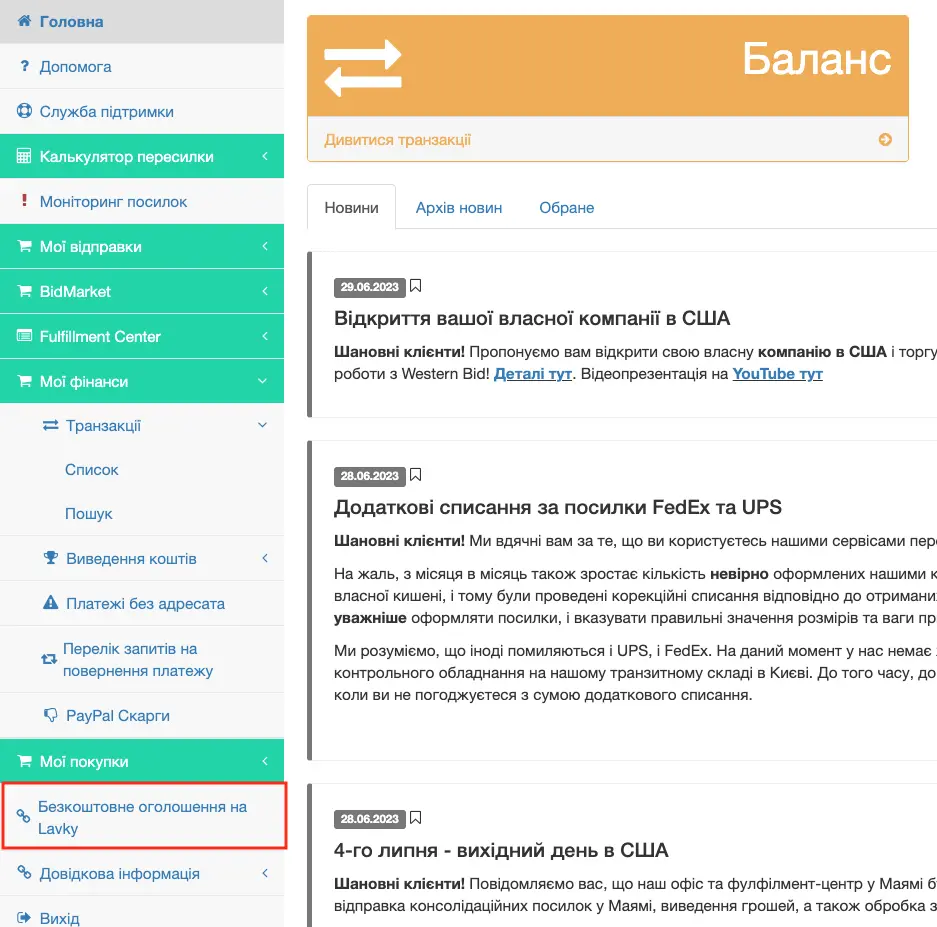
In the Western Bid Personal Cabinet, click on the left-hand menu item ‘Free listing on Lavky’. You will be taken directly to the marketplace page. When listing a product for the first time, you need to go through a short authorization (provide the name of your Lavky shop and its brief description).
Interface language selection. By default you will be shown the product listing page in English.
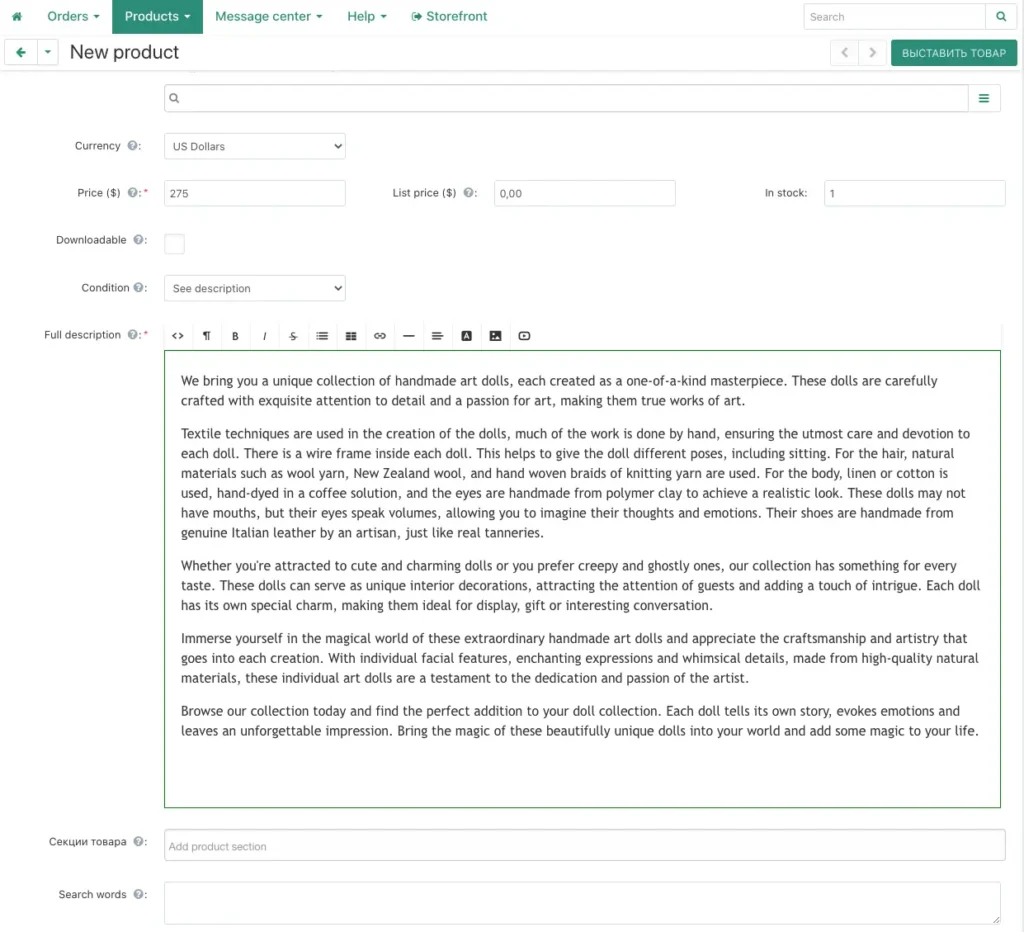
Enter the lot name, description, and price per unit of the product, indicate how many units of the product you have, the condition of the product (for example, new).
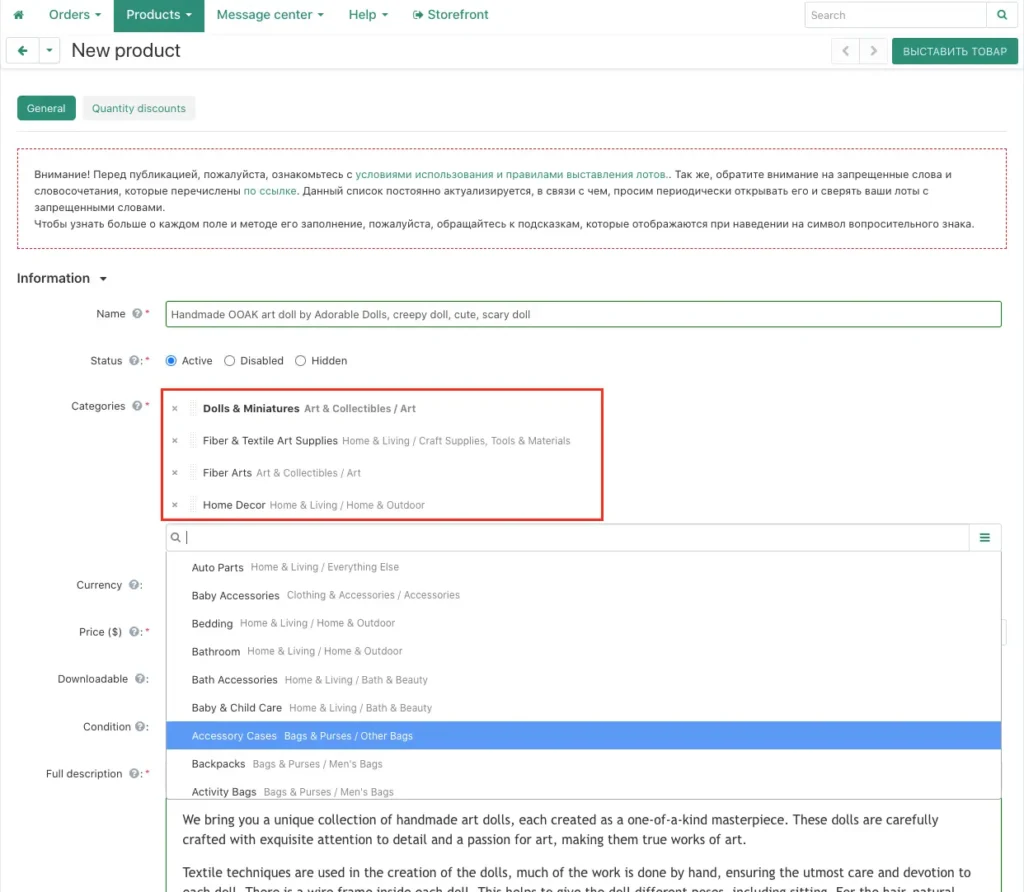
Choose a category for the product. You can assign the product to multiple categories at the same time. When you have chosen, click on “Add and Close”.
Add a description for your product.
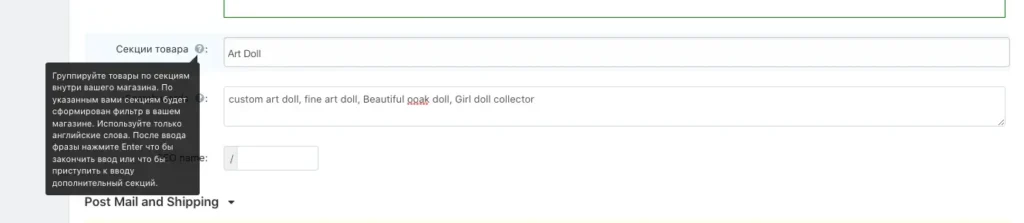
To designate different groups of products, create labels that are clear for you in the form of sections, so that it is easier to divide products into groups.
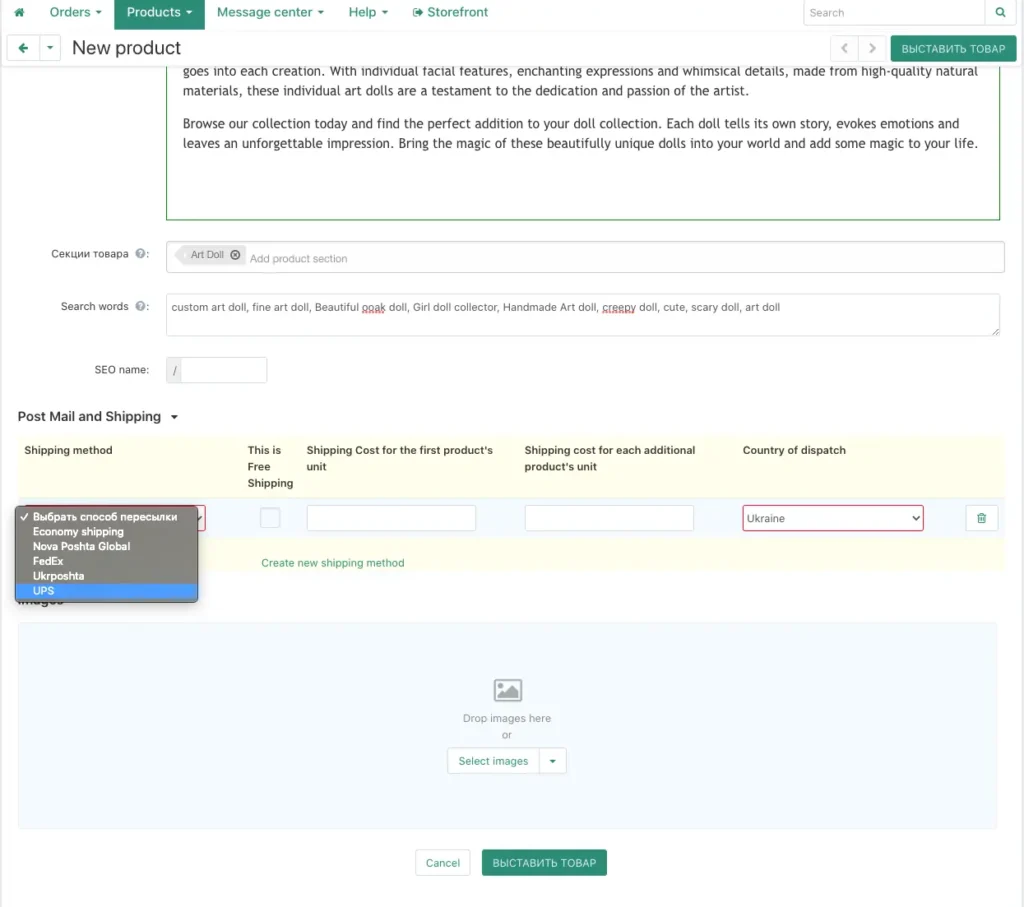
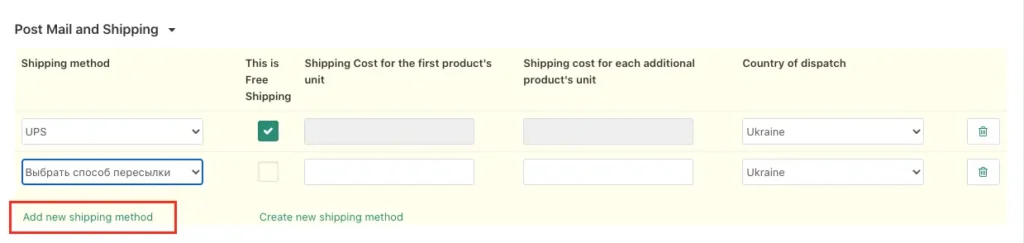
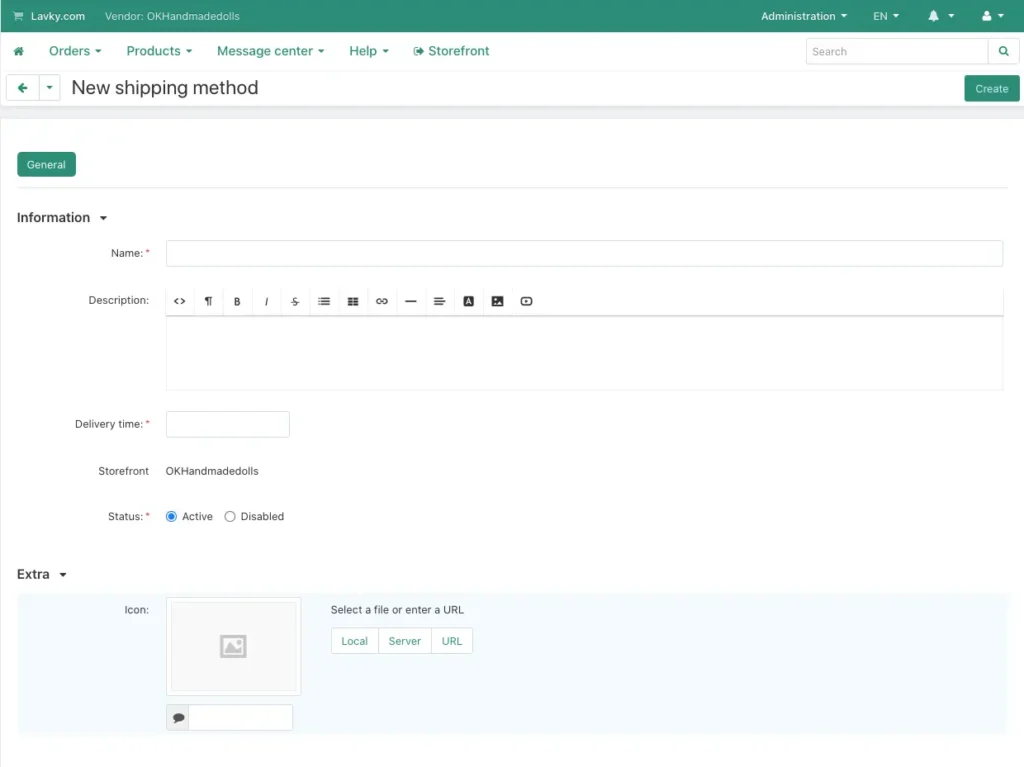
Choose a forwarding method from the predefined methods. You can also add your own method.
Choose an image for your lot. You can upload it from your computer or add an image from a URL. To upload the next image, click the ‘+’ sign to the right of the already uploaded photo, or drag all the photos prepared in advance into the image area.
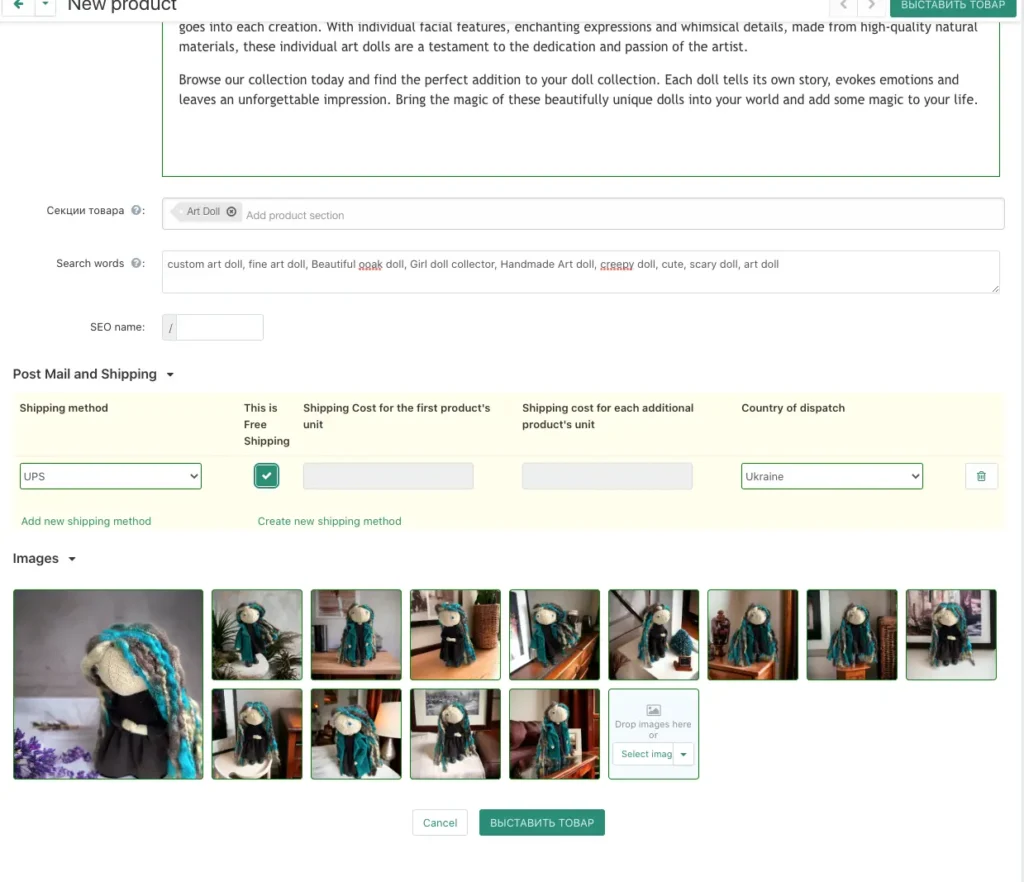
After entering all the required information, click on “Publish product”.
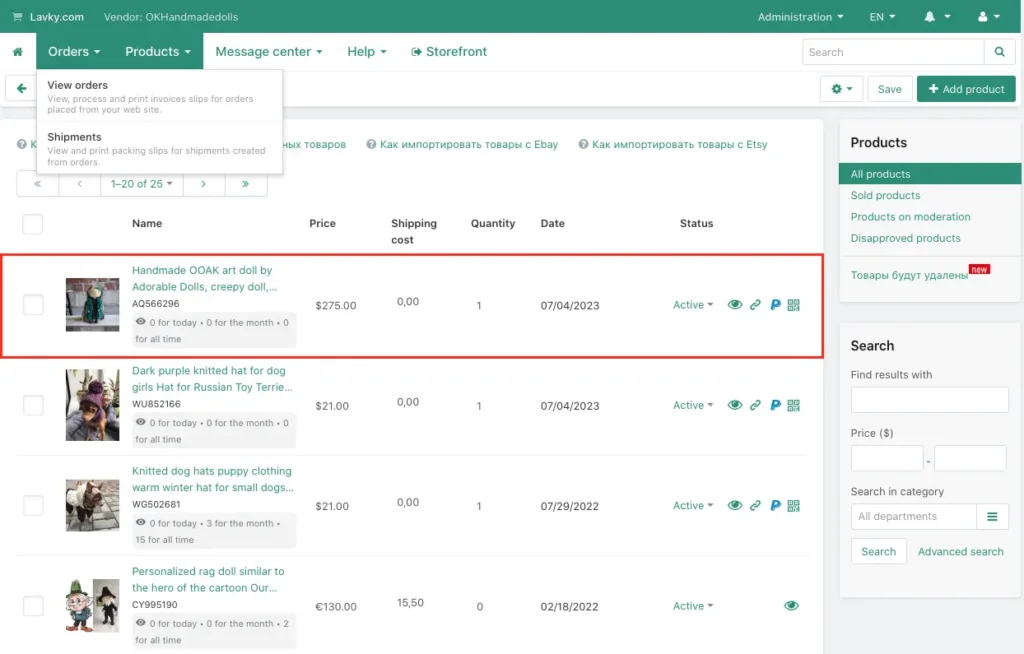
The published product will appear in your product list.
Also, don’t forget that you can use the Lavky marketplace if you need to invoice a customer for an add-on charge, for example, for express delivery. In this case you create a listing (item) with a price equal to the cost of the express delivery surcharge, and the marketplace will automatically generate a payment link. Detailed instructions are in the article “How to invoice a customer for an add-on?”.
Comparison: Lavky.com and global marketplaces
| Parameter | Lavky.com | Etsy / eBay |
|---|---|---|
| Listing cost (Listing Fee) | Free (basic) | from $0.20 or a monthly subscription |
| Setup difficulty | Low (everything in one dashboard) | Medium / High |
List of useful links related to our free Lavky marketplace:
– How to register on the Lavky marketplace?
– How to add additional stores to your Lavky account?
– How to import products from EBAY to Lavky?
– How to import products from ETSY to Lavky?
– How to add multiple shipping methods on Lavky?
– Lavky products in Google search
– How to publish a digital product on Lavky?
– How to create discounts on Lavky.com
– Using Lavky instead of a direct payment link?
– When and how are payments from Lavky credited?
– I go to Lavky, but I can’t see my listings. What’s the reason?
Frequently asked questions about product listings
Can I list items for sale without knowing English?
We recommend using online translators, but be sure to verify terminology. A high-quality English description is the key to earning the trust of foreign clients.
What is the maximum number of photos per product?
The system allows you to upload up to 10 photos. We recommend using this limit to the maximum to show the details and texture of the product.
Can listings be copied from Etsy to Lavky?
Yes, you can transfer descriptions and photos, but it’s better to adapt them to the Lavky structure for better indexing by search engines.
How to set the shipping price for different countries?
In the listing settings you can create shipping profiles where you specify separate costs for the USA, Europe, and the rest of the world.
