The Lavky marketplace does not limit you to adding only one type of delivery for your goods; you can independently add several methods and specify the delivery cost for each of them.
Instructions for adding delivery
The store owner can always create and add certain delivery methods.
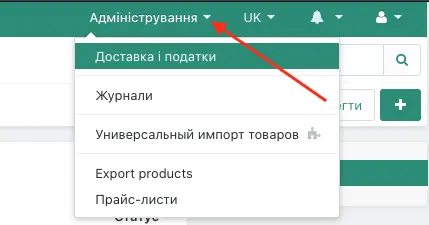
New delivery methods will belong to each individual store. Only the creator of these methods will see them:
A seller can add new delivery methods by giving them a name, description, and terms.
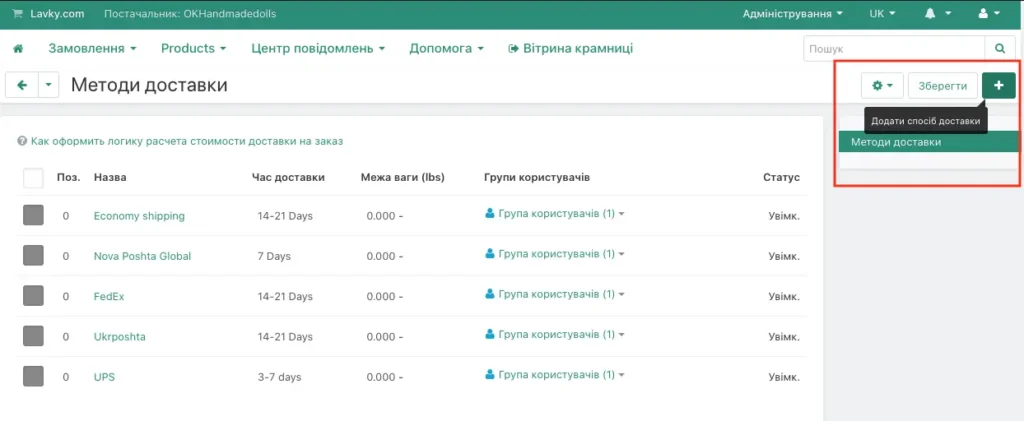
The newly created Delivery Method will be added to the overall list.
If necessary, the seller can add several delivery methods to each product, specifying delivery terms and cost.
If the product has multiple delivery options, the storefront for this product shows an active button “Get rates”; by clicking it, the buyer will be able to choose one of the deliveries:
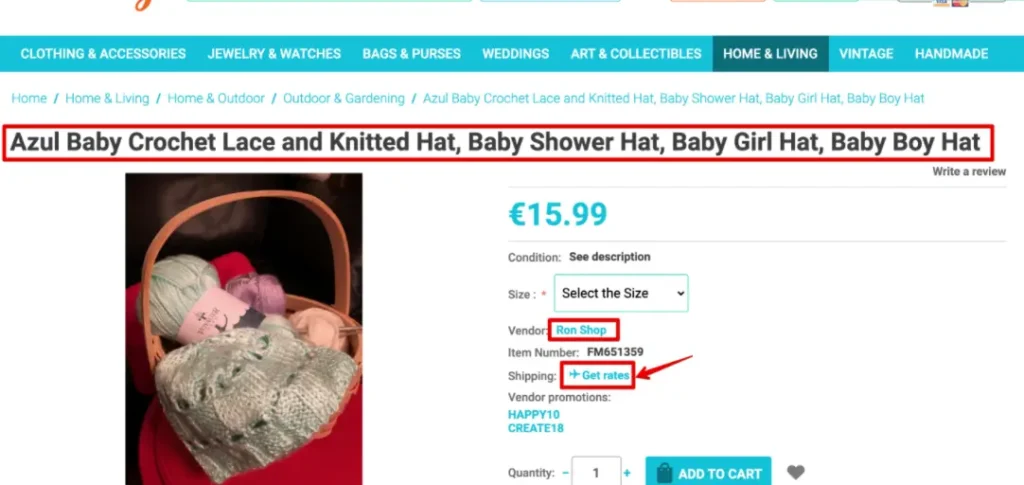
Clicking the “Get rates” button will open a new window where you can see the proposed delivery options. By clicking the “?” icon, the buyer will see the description of a specific delivery method.
Different delivery methods will be shown to the buyer during the checkout process. It is very convenient to have different delivery methods tailored to the buyer’s country. For example “USA Shipping”, “Canada Shipping”, “Japan Delivery”. During the checkout process, the buyer will see exactly those delivery methods that the seller has pre-added to this particular item.
Useful links for working with Lavky
List of useful links related to our free Lavky marketplace:
– How to register on the Lavky marketplace?
– How to add additional stores to your Lavky account?
– How to import products from EBAY to Lavky?
– How to import products from ETSY to Lavky?
– Lavky products in Google search
– How to publish a digital product on Lavky?
– How to create discounts on Lavky.com
– Using Lavky instead of a direct payment link?
– When and how are payments from Lavky credited?
– I go to Lavky, but I don’t see my listings. What is the reason?
– How to list a product on the Lavky marketplace?
