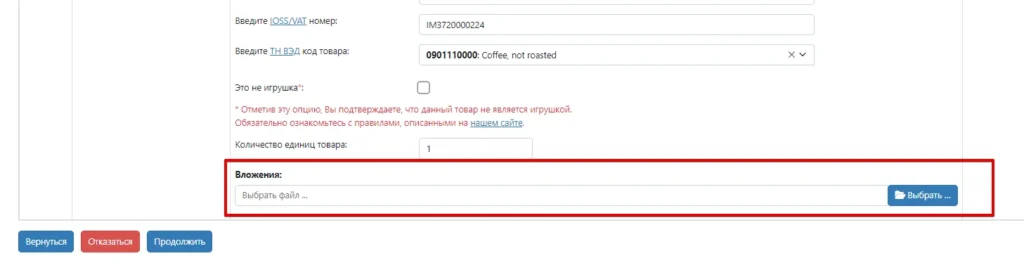
To create shipments with UPS, FedEx and DPD to EU countries, in the Western Bid system, you need to upload the attachment file that is the invoice for your order on the marketplace.
How to download an invoice from your Etsy account
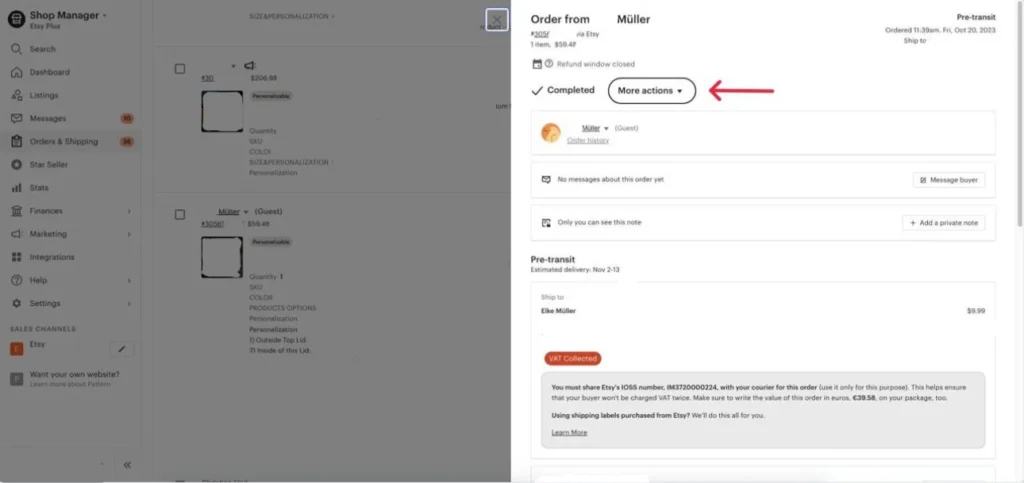
1. Go to your Etsy account and open the “Orders & Shipping” menu item.
2. Click the desired order, then click “More actions” and “Print”.
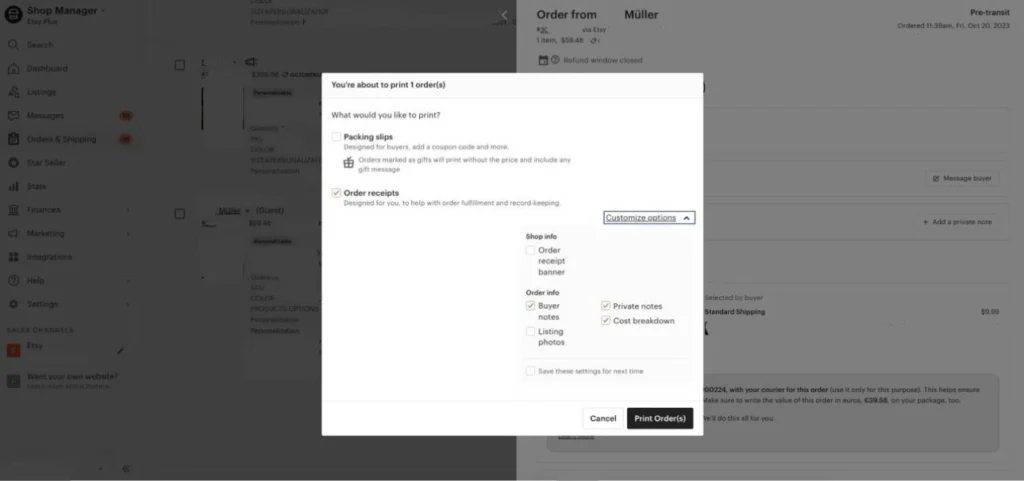
3. Mark “Order receipts” and in the dropdown menu, “Customize options”, mark the items:
- Buyer notes;
- Private notes;
- Cost breakdown.
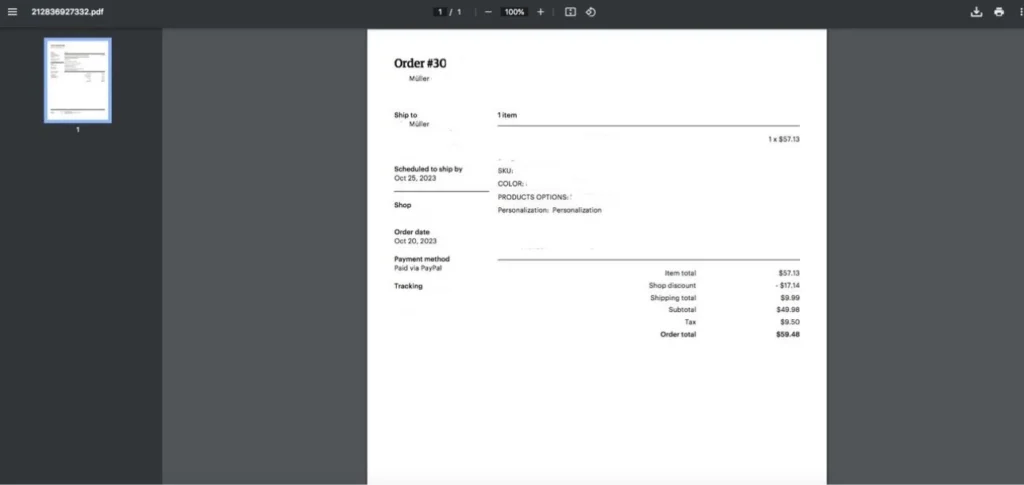
4. Click “Print Order(s)”. In the new window where the Order itself opens, there is an option to save it to your device for later uploading to your Western Bid account.
How to download an invoice from your eBay account
1. Open the order from which you need to generate an invoice.
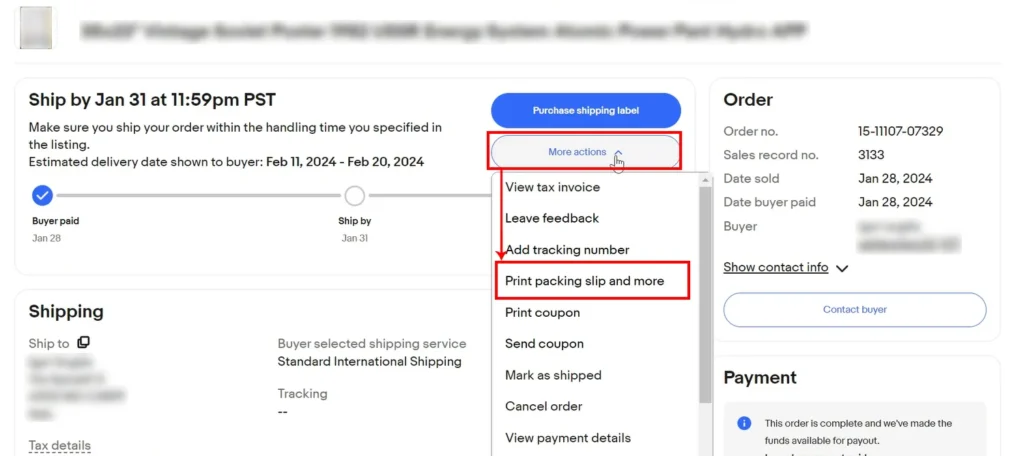
2. Click “More actions” and select the option “Print packing slip and more”
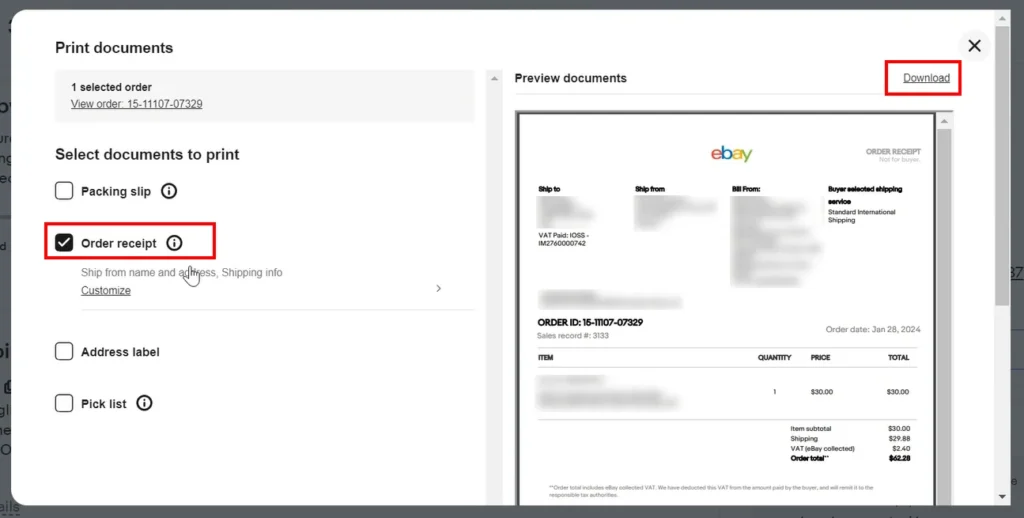
3. In the window that opened, select only the item “Order receipt”, after which, in the upper right, click “Download”.Then save the file, and you can use it when creating a shipment from your Western Bid personal account.
How to download an invoice from your Lavky.com account
1. Open the order from which you need to generate the invoice.
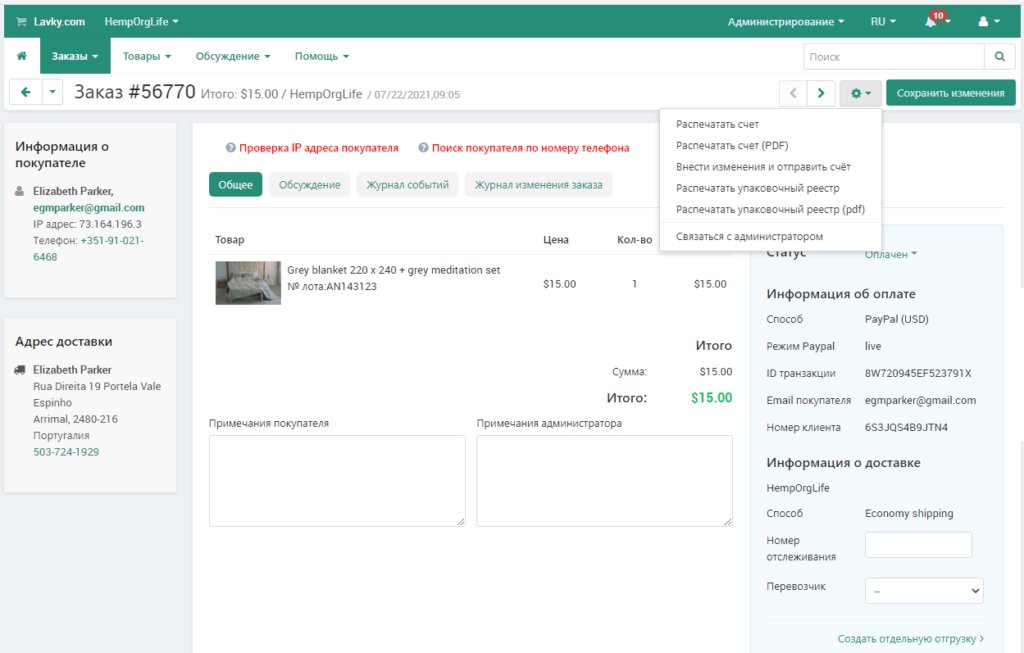
2. Click on the gear icon and select the “Print invoice (PDF)”
Invoice for shipping to Europe: quick answers
| Question |
Short answer |
| What is the purpose of an invoice? |
To confirm the item description, its value, and the VAT payment status for customs clearance. |
| Which courier services is this relevant for? |
For UPS, FedEx, and DPD when shipping to EU countries. |
| Where is the invoice attached in Western Bid? |
In the “Attachments” field during shipment creation. |
| From which platforms can you obtain an invoice using this instruction? |
From Etsy, eBay, and Lavky.com. |
| What should be visible on the invoice? |
Order description, the value of the goods, and VAT information. |