Registration on the Lavky marketplace is possible only through a Western Bid account: you create a profile in Western Bid, verify your email, and then log in to Lavky from your Personal Cabinet and open a free store.
Register on Lavky
In this article you will learn what you need to register on the Lavky marketplace, which fields you need to fill out, and how to start selling from your free store.
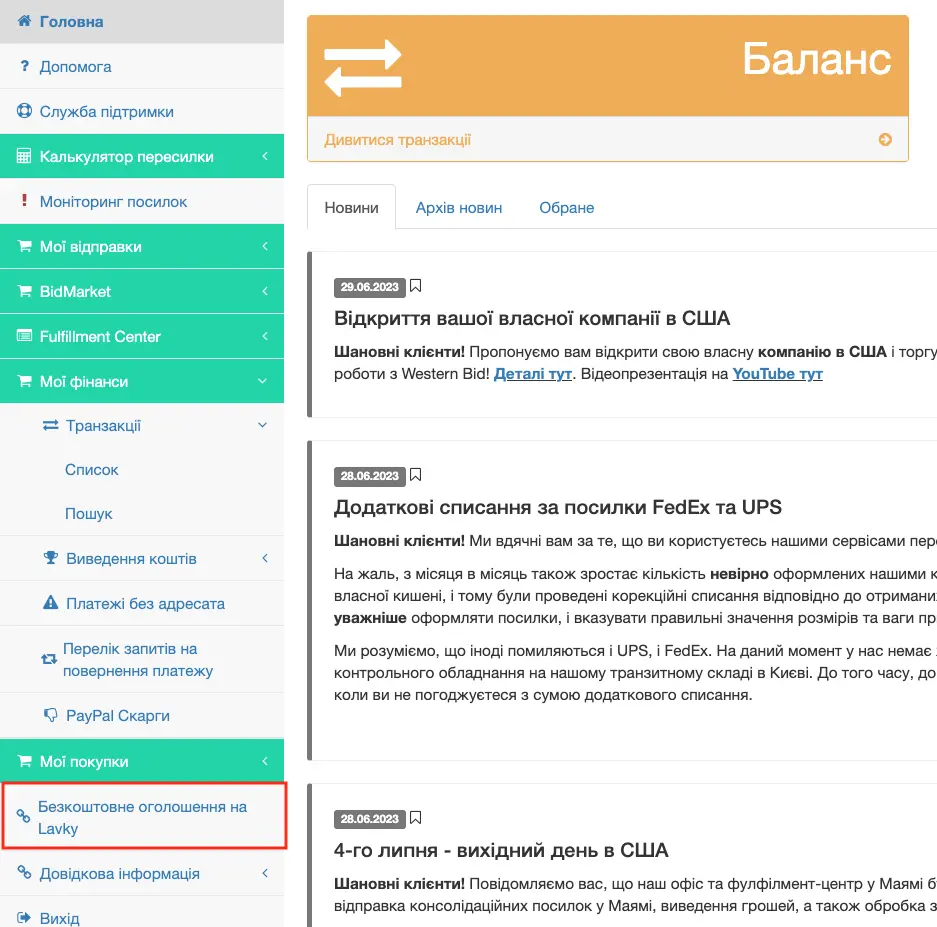
Selling on the Lavky marketplace is only available to registered clients of the Western Bid trading agency; if you are not yet registered in the system, you need to register and confirm your email address. From your Western Bid Personal Account you will be taken directly to Lavky:
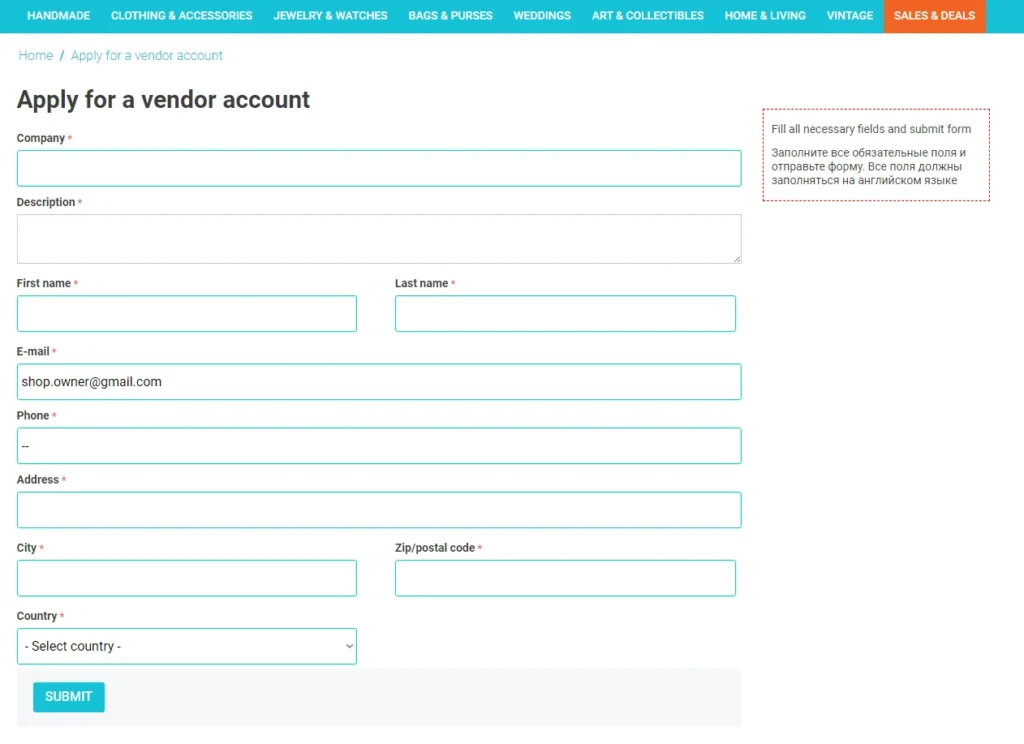
When listing a product for the first time, you will need to sign in, choose a name for your store, and provide a short description of it.
Note: during sign-in on Lavky, the system automatically uses the email address you provided during registration at Western Bid. It cannot be changed, because it is this address matching that guarantees correct and automatic payment processing from Lavky.
Note: all fields must be filled in English.
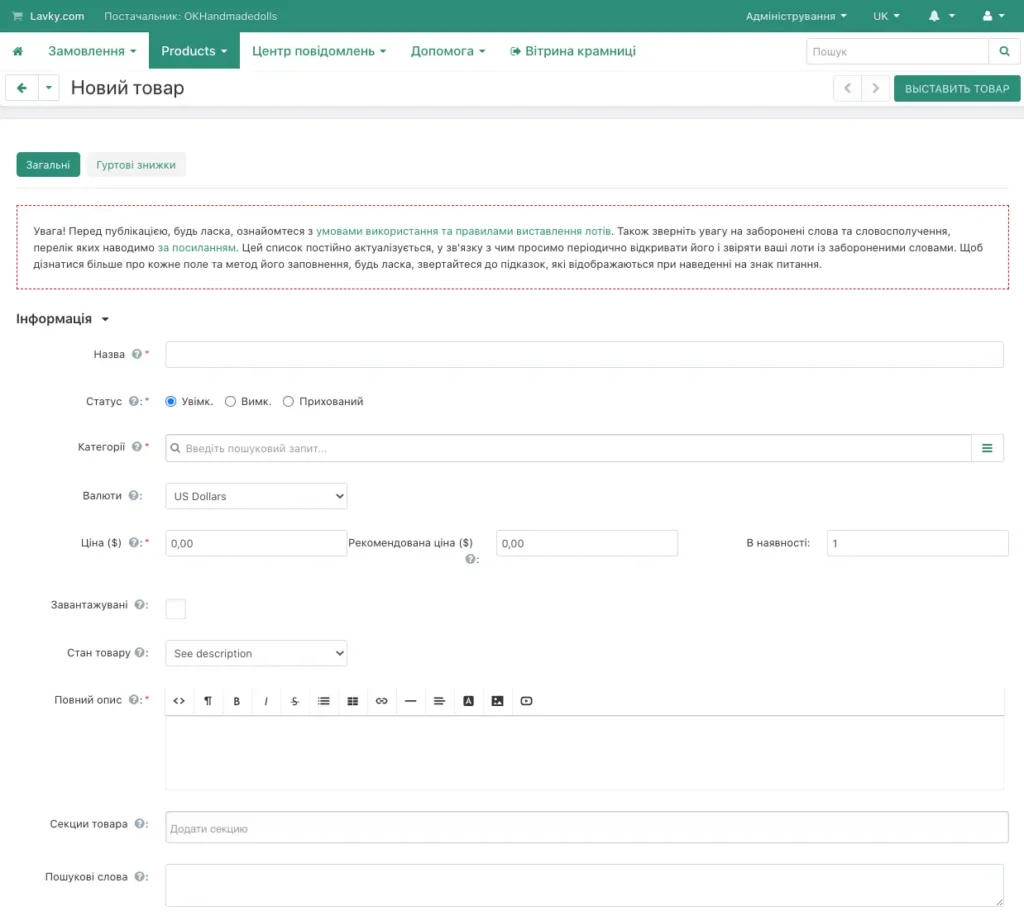
Now in your Lavky account you will be able to list items for sale.
What the Western Bid account and Lavky shop offer
| Element | What it’s for |
|---|---|
| Western Bid account | Seller registration, data verification, receiving payments for goods from Lavky and other platforms into a single balance. |
| Shop on Lavky | Product showcase for buyers: descriptions, photos, prices, orders, and linkage to your Western Bid balance. |
| Shared email | Ensures automatic crediting of payments from Lavky to your Western Bid account without manual intervention. |
List of useful links related to our free Lavky marketplace:
– How to add additional stores to your Lavky account?
– How to add multiple shipping methods on Lavky?
– How to import products from eBay to Lavky?
– How to import products from Etsy to Lavky?
– Lavky products in Google search
– How to publish a digital product on Lavky?
– How to set up discounts on Lavky.com
– Using Lavky instead of a direct payment link?
– When and how are payments from Lavky credited?
– I go to Lavky, but I don’t see my listings. What’s the reason?
– How to list a product on the Lavky marketplace?
Frequently asked questions about registering on Lavky
Is it possible to register on Lavky without a Western Bid account?
No. Only registered Western Bid clients can sell on Lavky, since all payments from Lavky are credited to the balance in the Western Bid system.
What language should be used to fill in the fields during store registration?
What language should be used to fill in the fields during store registration?
All fields, including the shop name and its description, must be filled out in English so that buyers from different countries can understand information about your shop.
Why do you need to use the same email as in Western Bid?
An email match between your Western Bid account and the Lavky store ensures automatic linking of payments to your balance; otherwise payments may not reach the correct account.
How much does it cost to register and maintain a store on Lavky?
Shop on Lavky is free for Western Bid customers: you do not pay a subscription fee for registration or for the number of items, you only pay standard fees for receiving payments for goods and additional Western Bid services.
Is it possible to have multiple stores on Lavky under one Western Bid account?
Yes, if needed you can add additional stores to a single account by following the instructions in the article «How to add additional stores to an account on Lavky?» in the Knowledge Base.
What should I do if I can't see my products on Lavky after registering?
Please check that you have added and published at least one product, and also use the article «I go to Lavky, but I don’t see my listings. What’s the reason?» for detailed diagnostics.
