Lavky.com is Western Bid’s own marketplace, which allows Ukrainian sellers to reach the international market without significant costs for listings and complicated settings. One of the platform’s main advantages is the ability to create additional stores under a single Western Bid account, which allows entrepreneurs to effectively segment different product niches, brands, or target audiences.
If you want to create several stores, for example to split your assortment or test different types of traffic and advertising – Lavky gives you this option; read about it in this article.
Also a list of useful links related to our free Lavky marketplace:
– How to register at the LAVKY marketplace?
– How to add several shipping methods on Lavky?
– How to import products from EBAY to LAVKY?
– How to import products from ETSY to LAVKY?
– Lavky products in Google search
– How to publish a digital product on Lavky?
– How to create discounts on Lavky.com
– Using Lavky instead of a direct payment link?
– When and how are payments from LAVKY credited?
– I go to LAVKY, but I can’t see my lots. What’s the reason?
– How to list a product on the LAVKY marketplace?
To add additional stores to your seller account, use the My Account menu and select the “My Profile” option.
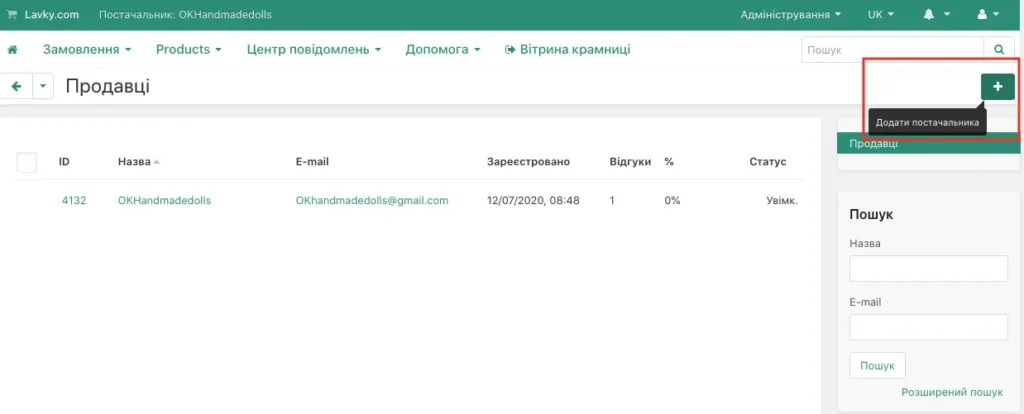
To start the process of adding a new account, you need to click the “+” button. You can add up to 12 new accounts. They will be associated with a single email address:
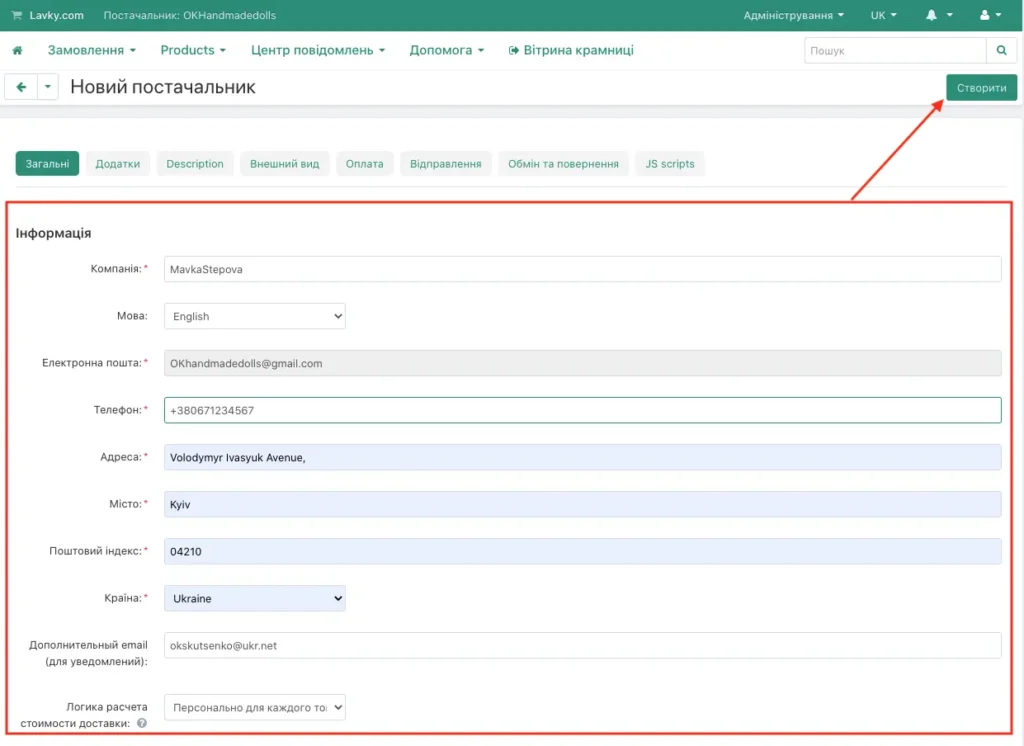
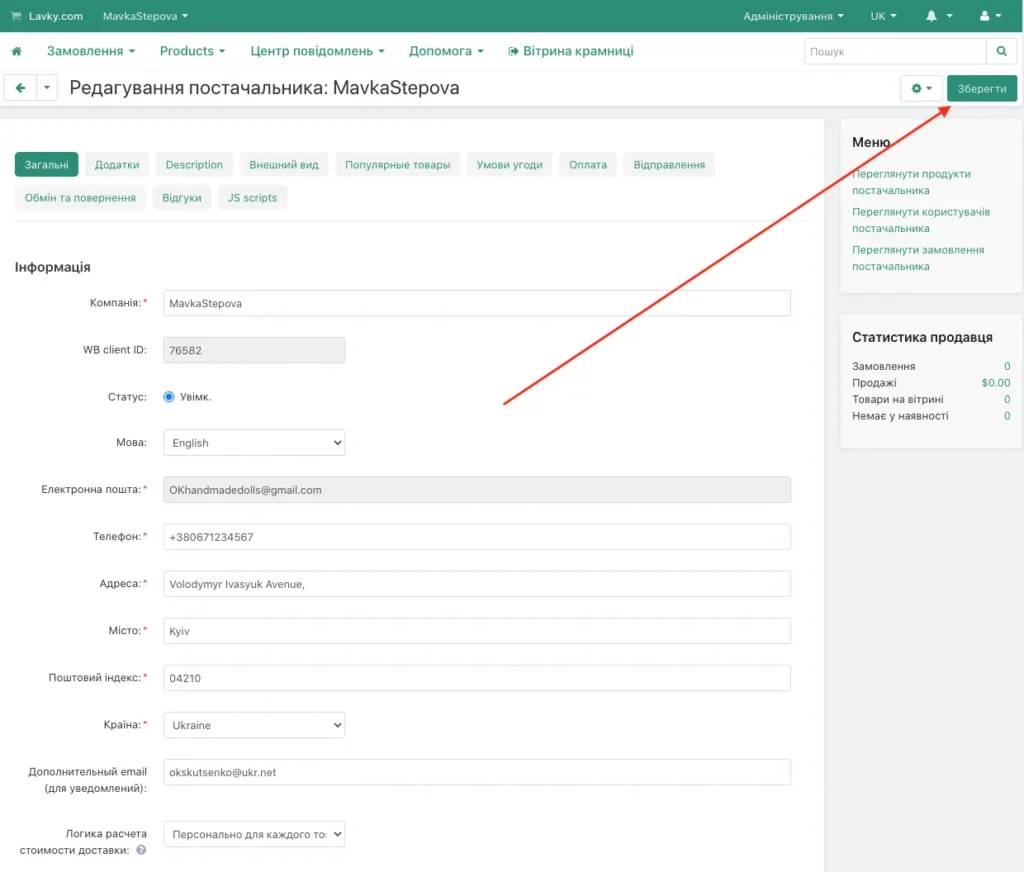
Next, you need to fill in all mandatory fields: the store description, the phone number, and the seller’s address. If necessary, you can enter an additional email address for notifications regarding a specific new store.
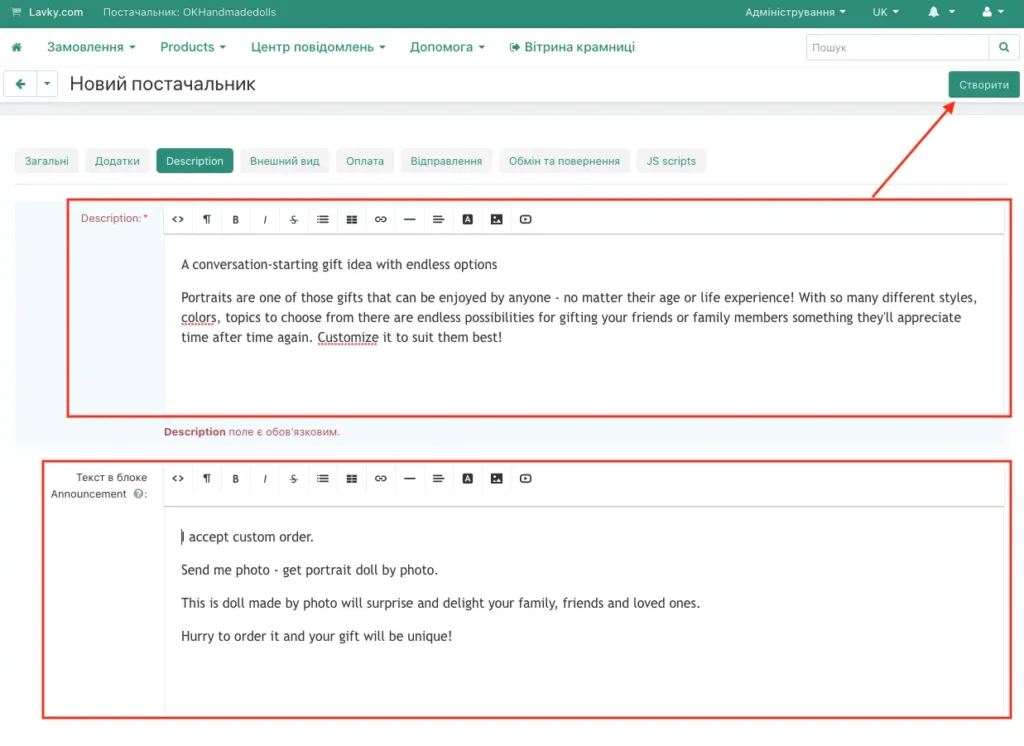
It is mandatory to fill in the ‘Description’ field. After creating an additional store, the seller will always be able to switch to edit mode:
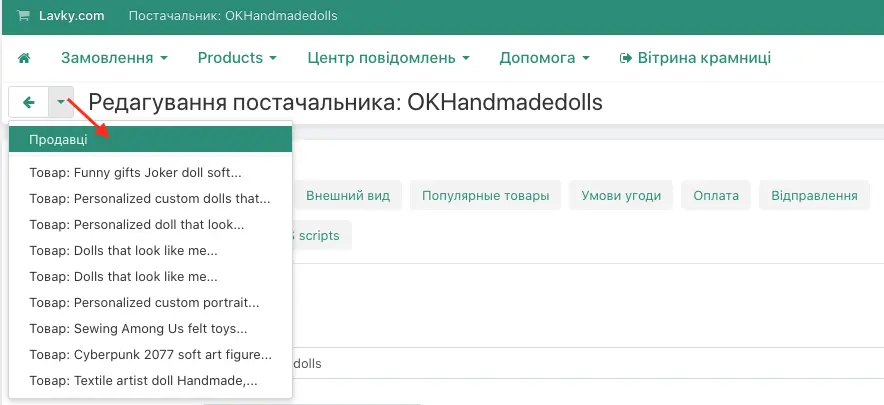
To view all your stores, you need to click on the “downward-pointing triangle” in the header, and in the dropdown menu you will see all stores created for this account.
For improving the storefront of a new store, it is advisable to add both a logo and a banner in the “Appearance” tab.
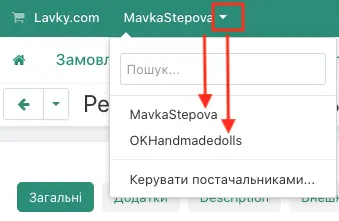
The seller will always be able to switch between their stores. This switch can be performed using a small triangle to the right of the seller’s name. In the menu on the right you will also see the ‘My Stores’ option.
Lavky and Western Bid in operating multi-store marketplaces
| Function | Lavky.com platform | Western Bid service |
|---|---|---|
| Showcase and listings | Each store has its own design and URL | Technical synchronization |
| Payments | No. Cart display | Yes. Full processing through PayPal and cards |
| Logistics and waybills | No | Yes — creating labels for USPS, FedEx, UPS |
| Payments to individual entrepreneurs | No | Yes — funds settlement to Ukrainian bank details |
Frequently Asked Questions about Lavky stores
How many stores can be opened on one account?
How many stores can be opened on one account?
Currently we do not limit the number of stores for a single user, but we recommend focusing on the quality of content in each of them.
Do customers see a connection between my stores?
No, unless you specify links to your other stores yourself. For a customer, each store on Lavky.com appears as an independent retail outlet.
How does SEO work for additional stores?
Each store has its own unique URL, which allows Google to index them as separate pages. We recommend using different keywords for each store.
Is it possible to connect a separate PayPal account to each store?
No, all stores on Lavky, attached to your Western Bid personal account, use a single Western Bid payment gateway. This greatly simplifies reporting for individual entrepreneurs.
How to close an additional store if it is no longer needed?
You can deactivate the store in the Western Bid account settings or simply hide all listings. This will not affect the operation of your other stores.
