
Brief Summary
Preparation for launching a Shopify store starts not with design but with the basic infrastructure: the working environment, domain, business email, and technical tools for stable operation.
This article contains practical tips to help prepare your Shopify store for launch: from choosing an anti-detect browser and proxies to connecting the domain and organizing business communication.
Who is this article for
- For beginners opening their first store on Shopify.
- For sellers who need clear technical guidance for launch.
- For eCommerce teams building a secure and user-friendly infrastructure for working with Shopify.
The essence of the article
Main idea: To launch a Shopify store without unnecessary problems, you need to prepare the working environment, proxies, domain, business email, and think through the technical foundation for future advertising, payments, and store development.

What You Need to Start a Shopify Store
| Preparation Element | Purpose | Practical Benefit |
|---|---|---|
| Anti-detect browser | Work with separate profiles and organize the environment | Easier management of multiple working accounts |
| Proxy | Location setup and stable profile operation | Better management of technical access |
| Domain | A separate branded web address | More professional appearance and easier management |
| Business email | Official communication with clients and services | Increased trust in the store |
| Payment infrastructure | Accept payments via PayPal and Stripe | readiness for real sales |
Checklist before opening a store on Shopify
- Prepare a separate working environment for launching the store.
- Choose an anti-detect browser if working with multiple profiles.
- Select proxies suitable for your workflow.
- Register a dedicated domain for the store.
- Connect a business email on your own domain.
- Plan future advertising accounts, social media, and email marketing.
- Prepare the store for payment integrations and starting sales.
Anti-detect browser
1. MoreLogin (Estonia)
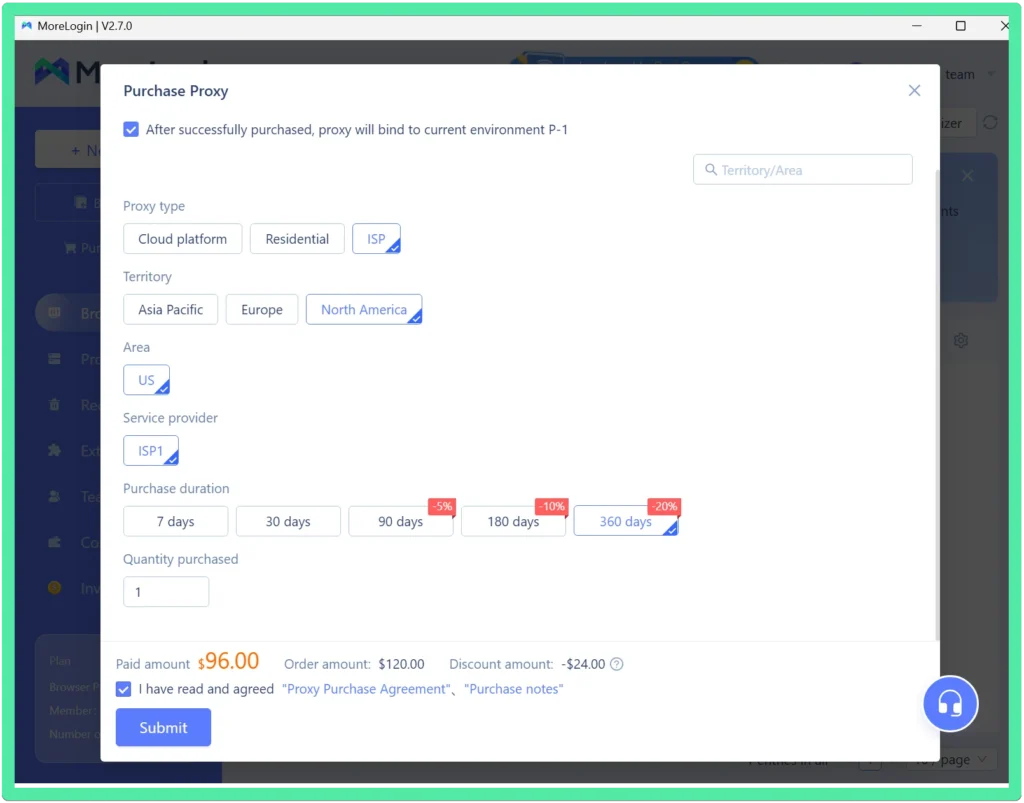
For beginners, I would recommend installing the MoreLogin browser. If you register through this link, you will get 2 profiles for free + 10% discount on any plan. The browser can be easily downloaded and launched on your computer.
The main advantage is that MoreLogin allows you to purchase QUALITY proxies, and it will automatically install them into your profile. If you don’t want to bother with proxies, MoreLogin will be the best option for you.
2. Dolphin[anty] (Cyprus)
This anti-detect browser provides 10 free profiles. Ukrainian language support is available. You can register through this link. The browser does not offer the option to buy proxies within the browser, so you will need to purchase proxies from other services, independently assessing their quality and speed. However, the simplicity and the ability to use 10 profiles for free (which can be further purchased later) may be a decisive factor for many.
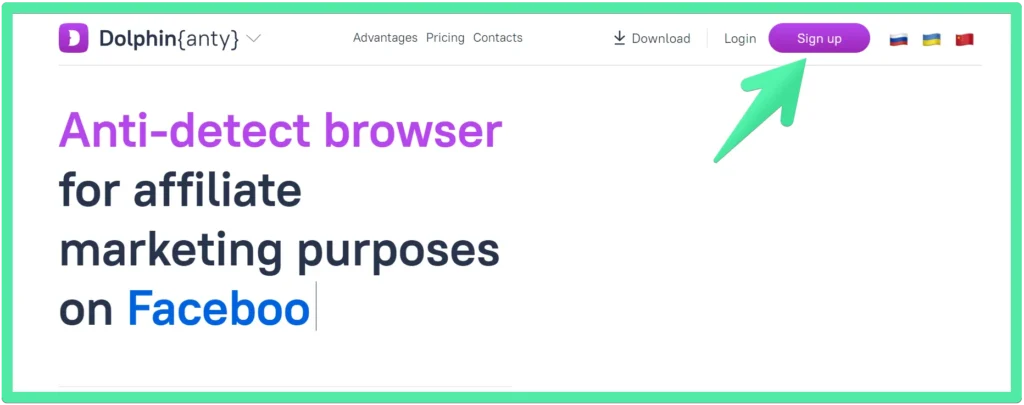
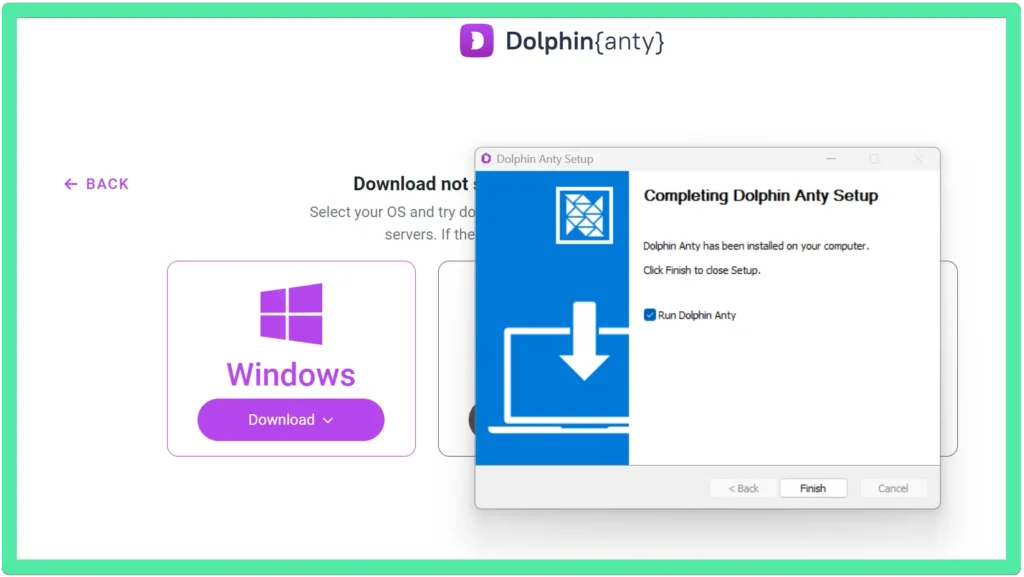
Register on the site and upload the installation file:
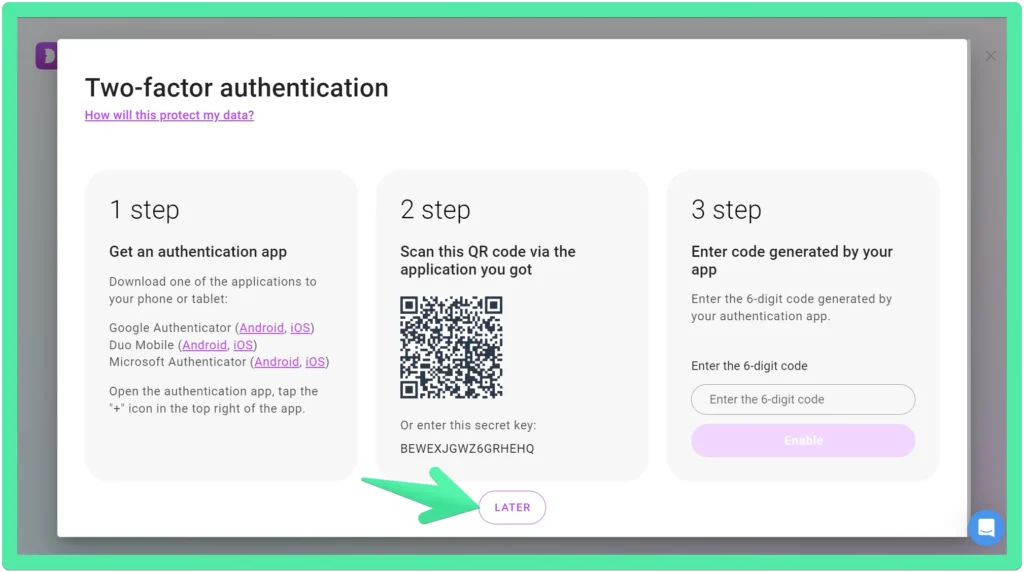
You can skip two-factor authentication:
Continue in the free version:
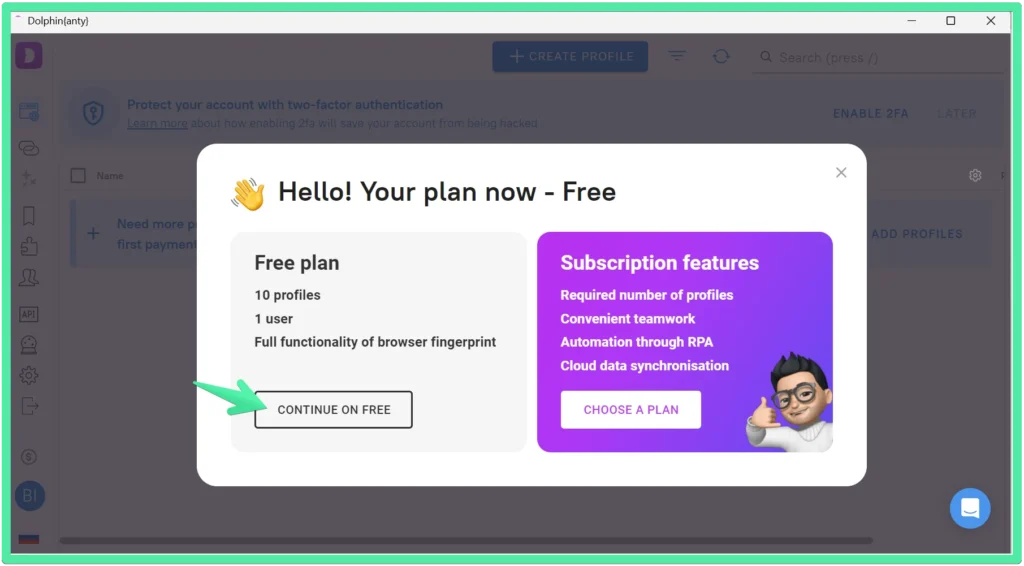
Anti-detect browsers – in addition to hiding your data – also greatly facilitate the organization and optimization of your work. All links for each profile are always at your fingertips.
Proxy
1. Oxylabs (Lithuania)
Not the cheapest, but the best in terms of speed for anti-detect browsers, in my opinion. Fast payment and instant proxy delivery. You can register using this link.
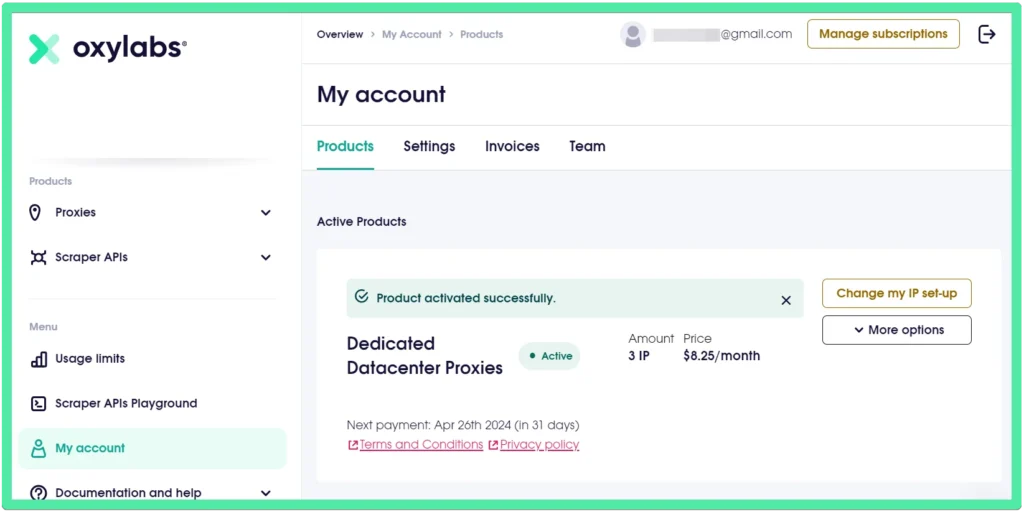
Attention! I purchased Dedicated Datacenter Proxies for the Dolphyn[anty] browser, 3 pieces for $8.25 per month. I was given this line:
http://ip.oxylabs.io/location’ -U ‘login:password~~’ -x ‘ddc.oxylabs.io:8001’
To use this proxy in the browser, it needs to be entered in the format:
login:password@host:port
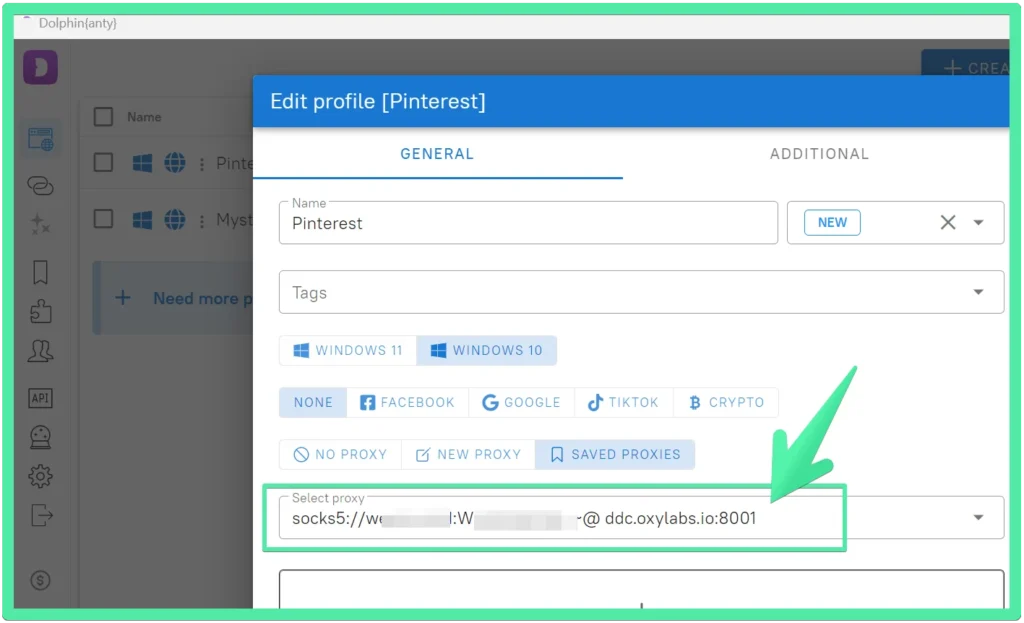
Thus, I entered the data in the form of login:password@ddc.oxylabs.io:8001
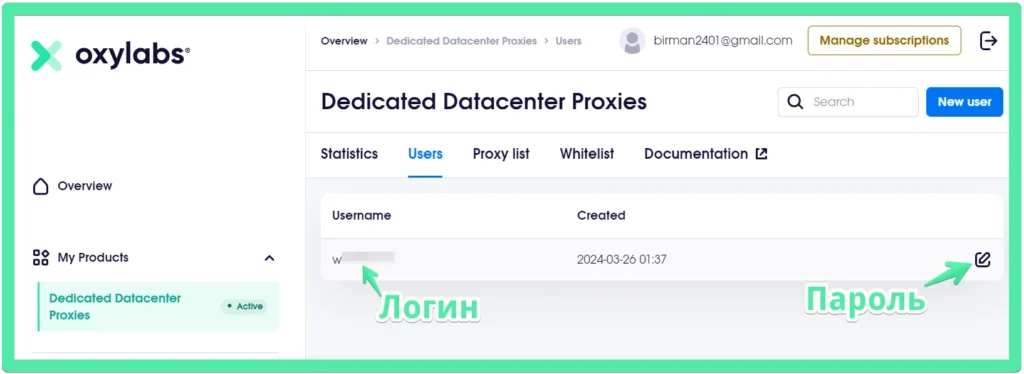
This information is also available in the Oxylabs personal account in case you accidentally skip a line during payment.
2. Bright Data (Israel)
Interesting and affordable service. You can register via this link. Cheaper than Oxylabs – 10 proxies cost $4.80. The downside is that these proxies cannot access Google.com, and Google search is blocked. At the same time, other search engines like Bing or Yahoo work fine, and all Google services (Ads, Analytics, Gmail) and other sites also load quickly. If you set DuckDuckGo.com as your homepage, for example, the browser launches without errors.
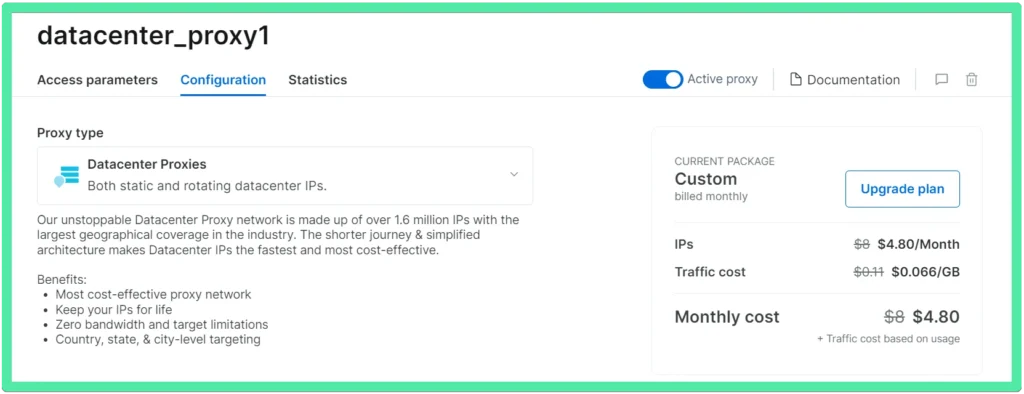
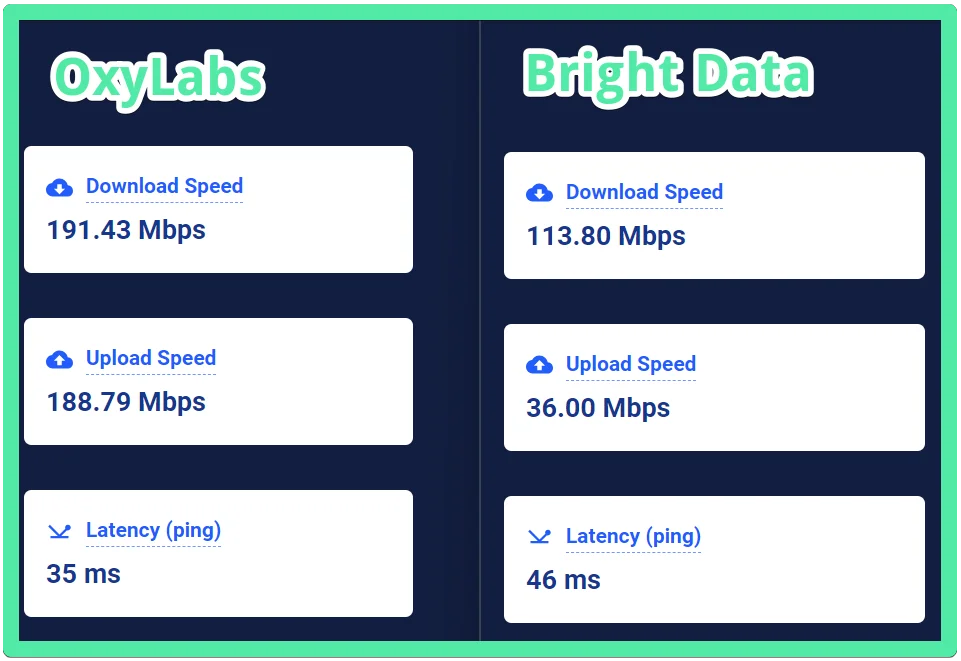
In terms of speed, Oxylabs is also 30% faster (according to the service highspeedinternet.com), which confirms a well-known rule. For our purposes, Bright Data is quite suitable, but the decision is yours.
Domain
Next, to open a store on Shopify, many recommend buying a domain from a third-party service.
1.Hover
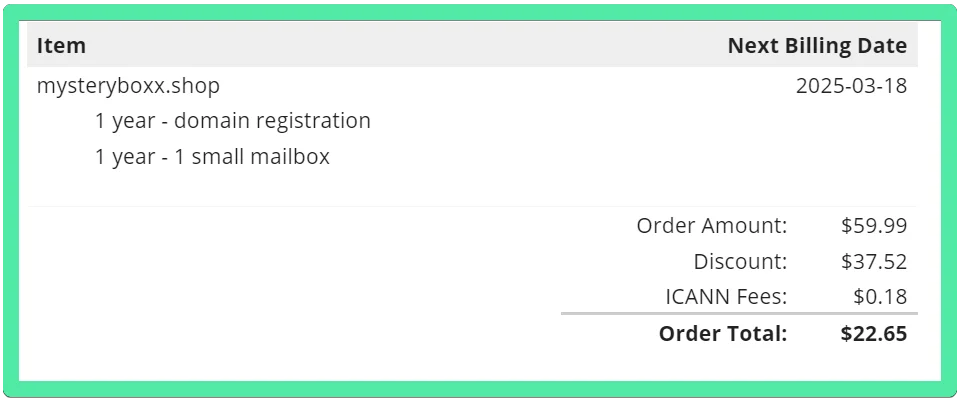
You can buy a domain and email through this link. And I personally purchased a domain and email with a discount from this service:
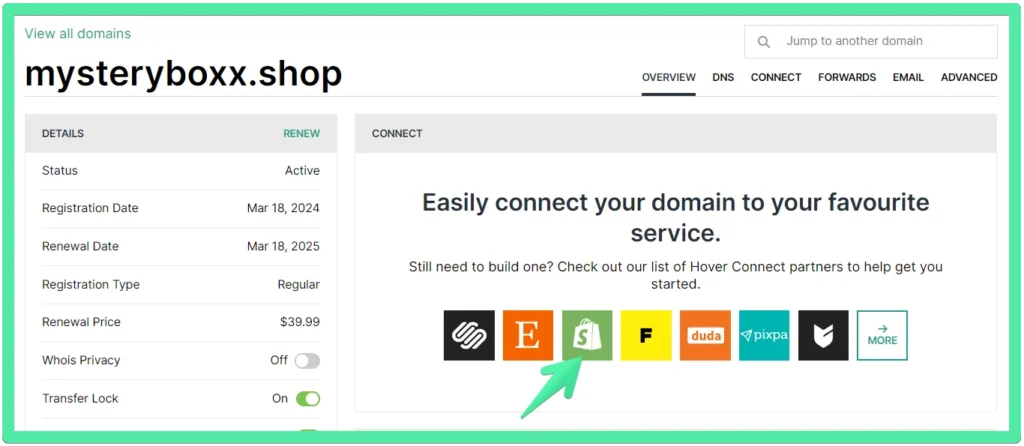
Shopify also offers the possibility to purchase a domain, but sometimes there are issues with domain verification, and it’s better to keep it separate from Shopify. Moreover, Hover makes it easy to connect a domain to Shopify:
2. Porkbun
You can register here. The email costs $2/month. An American service that doesn’t even require a partner program.
3. Namecheap
You can register here. The email costs $0.99/month. This is the cheapest service I have ever encountered.
Now that we are ready, you can register on Shopify.
To be continued.
Key takeaway
A successful launch of a Shopify store begins with proper preparation: technical, domain, communication, and payment.
Frequently Asked Questions
What do you need to prepare before opening a store on Shopify?
What do you need to prepare before opening a store on Shopify?
At the start, it is worth preparing the technical working environment, domain, business email, basic account structure, and thinking through how the store will accept payments and attract traffic.
Why Might Anti-Detect Browsers Be Needed for Shopify?
Why Might Anti-Detect Browsers Be Needed for Shopify?
In the article, anti-detect browsers are presented as tools for working with multiple profiles, organizing processes, and managing different work environments in one place.
Why are proxies needed when preparing a Shopify store?
Why are proxies needed when preparing a Shopify store?
Proxies help to configure the working environment and are used together with anti-detect browsers. In the material, they are described as a technical tool for the proper operation of profiles.
Is it better to buy a domain separately from Shopify?
Is it better to buy a domain separately from Shopify?
The article recommends considering a dedicated domain purchasing service, as this can simplify management and reduce the risk of verification issues.
Why does the store need a business email?
Why does the store need a business email?
Business email on your own domain is needed for professional communication with clients, services, advertising platforms, and for building trust in the brand.
Should you plan your advertising before launching your Shopify store?
Should you plan your advertising before launching your Shopify store?
Yes. The material explicitly mentions that for the development of the store, advertising accounts, social networks, and email marketing tools may be needed, so it is advisable to plan this infrastructure in advance.
What is the next step after technical preparation?
What is the next step after technical preparation?
After preparing the domain, email, and working environment, it is logical to proceed with registering the store in Shopify, setting up payments, filling the catalog, and launching promotion.
What to do next
After technical preparation, the next step is to register the store, set up payments, plan marketing strategies, and launch a stable sales funnel.
Contact the Western Bid team if you need assistance with Shopify, PayPal, Stripe, international sales, or turnkey store setup.


