For clients for whom it is important to send orders as a sole proprietor or LLC (a legal entity), to be registered with customs, to deduct shipping costs if you are a VAT payer, we have implemented the ability to create international B2C shipments via Nova Poshta International Delivery directly from the Western Bid dashboard. At special prices and with the conveniences of our integrations.
How does international shipping from a business through Western Bid work?
You go through a one-time activation procedure → after this, in your account, the option to process shipments as a sole proprietor through НПМД becomes available.
How to connect?
1. Create a support request
In the Western Bid account, create a ticket in the “Support” section – “Request for dispatch as a sole proprietor”
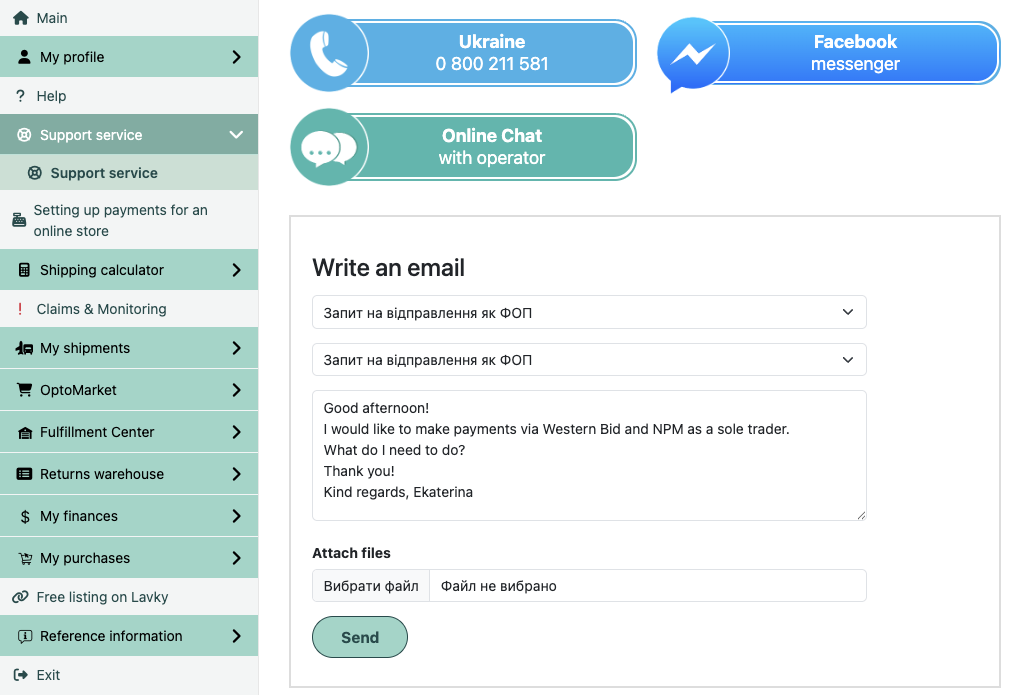
Please note that if you already have a signed contract for sending parcels between your FOP and Nova Poshta, indicate this immediately in the request in your account and attach your contract with the FOP. After receiving the request, the option to ship as a legal entity will be activated in your account within 1-2 business days.
If you already have a contract, you do not need to go through the procedure described below. You can immediately proceed to shipments using this method.
How to arrange shipments from a legal entity (Sole Proprietor or LLC).
2. Receive the contract by email
After processing the request, you will receive the contract at your email address.
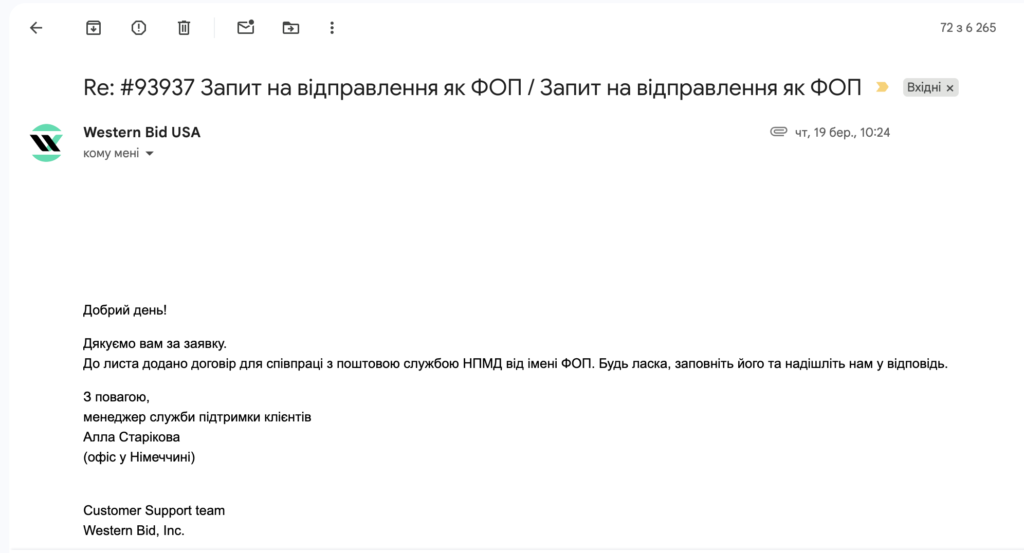
3. Fill out the contract
You need to print the contract and fill it out.
Important rules:
- leave the fields “contract number” and “date” empty
- if you are a sole proprietor, indicate the basis of activity
Extract from the EDR - be sure to specify a current e-mail in section 4.5
On the last page in the block “User” enter the data in the following order:
- Business name (for example: ФОП Бондаренко Василь Миколайович)
- Location / mailing address
- EDRPOU code
- IBAN
Bank name - TIN
- VAT payer / not a VAT payer
- Phone
- Signature, initials
4. Scan the contract and send it in reply to the letter that contains it
- After you have sent us the contract, it is handed over to Nova Poshta
- You are registered with customs under the simplified system
- The confirmation takes from 2 to 3 working days
5. Get confirmation and access in your account
You will receive an email confirming your contract and additional information. After that, in your Western Bid account, the option to ship as a sole proprietor/LLC via Nova Poshta International Delivery will appear.
6. Complete the procedure
To complete the procedure, you need:
- send 2 copies, signed by you, of the Agreement and Additional documents (taxpayer identification certificate, scanned copy of the charter, namely: the first page, the page indicating the authorized person, and the last page) in certified copies bearing the inscription “True copy” signed by a responsible official to the Contracts Department of Nova Poshta, with delivery paid by the recipient (i.e., at the expense of Nova Poshta).
How to process a shipment from a legal entity (FOP or LLC)
After your contract is confirmed, the option to ship as a legal entity (FOP or LLC) will be enabled in your account.
To arrange the shipment this way, start creating it in a way that’s convenient for you (from the Calculator or from the ‘My Shipments’ menu – ‘Create Shipment’) and select the Nova Poshta International Delivery option.
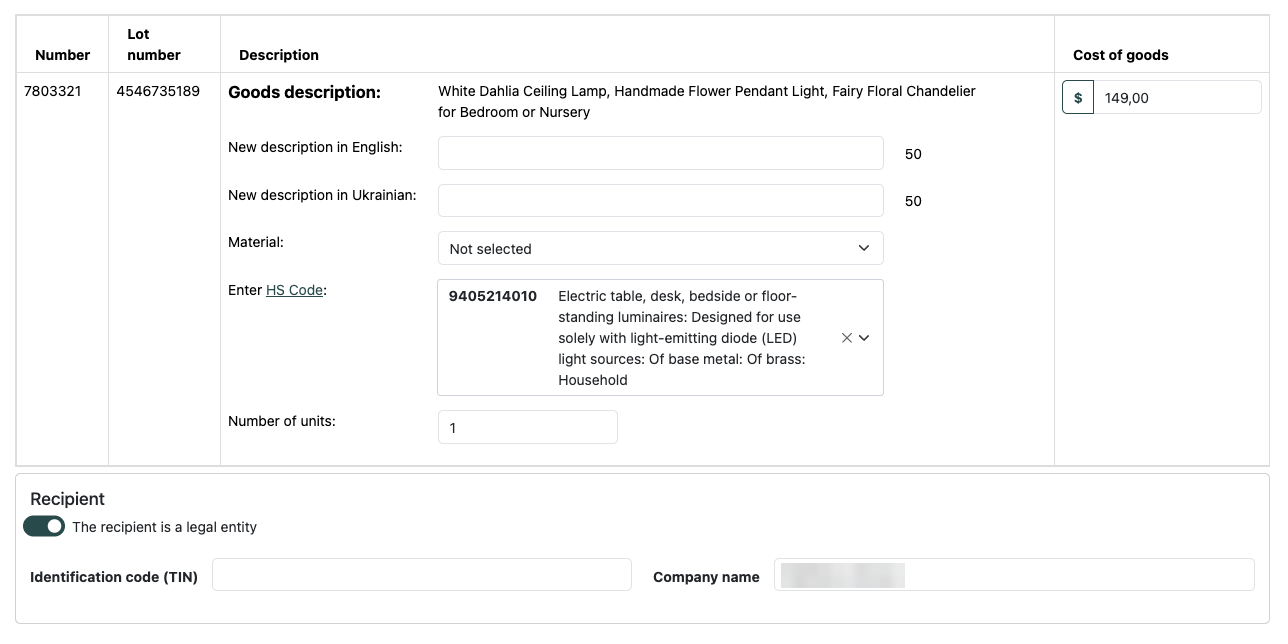
For this shipping method, you will be able to enable the option to ship as a legal entity at the Product Description Adjustment stage.
To do this, you need to click the toggle ‘Sender is a legal entity’ and enter your identification code and company name.
Why it's convenient to enable international shipping through Western Bid
Connecting through Western Bid — it’s not just access to delivery, it’s part of the full infrastructure for international sales.
Delivery payment with no extra steps
- payment directly from the Western Bid balance
- you can use funds earned from sales
- Payoneer payments are available
Fast shipment processing
Thanks to integrations with Etsy (the official partner in Ukraine), Shopify, eBay, keyCRM, data for your orders are pulled automatically — without manual entry. The tracking numbers are also transmitted back to the sales systems.
