You can create and print a return label (Return Label) yourself for returning goods from the USA to the Western Bid warehouse in Miami or to the NP Shopping address in the USA.
Who this return label creation guide is for
- Sellers whose buyers in the United States want to return goods to Western Bid’s warehouse in Miami or to the NP Shopping address.
- Western Bid customers who want to generate a return label for the customer themselves to simplify the return.
- Sellers who work with fulfillment and Western Bid’s returns warehouse in the United States.
How to create a return label yourself?
Our customers now have the option to independently create and subsequently print return labels for returning goods to the WB Center in Miami or to the Nova Poshta address in the USA (NP Shopping).
Return labels can only be created by you when returning goods from the USA. If you need to return goods from other countries, you can independently arrange delivery through any courier service to the address of our warehouse and write to us so that we can accept your goods. If duties and taxes are charged on the goods, you must first contact us via the support service and agree on the payment of duties. If this is not done, we will not be able to accept the goods.
The price, as always, will be visible at checkout when you enter the dimensions and weight.
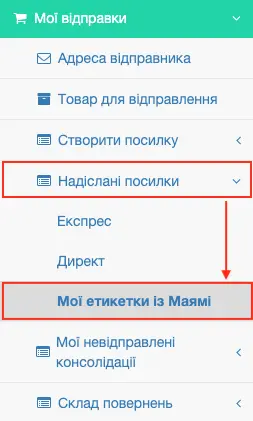
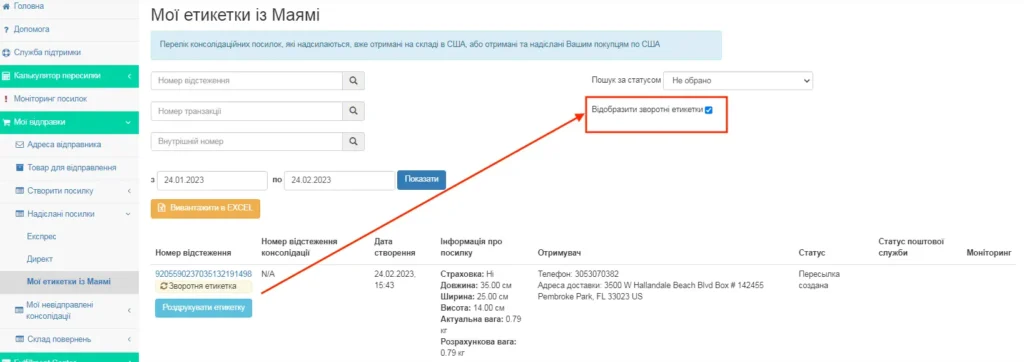
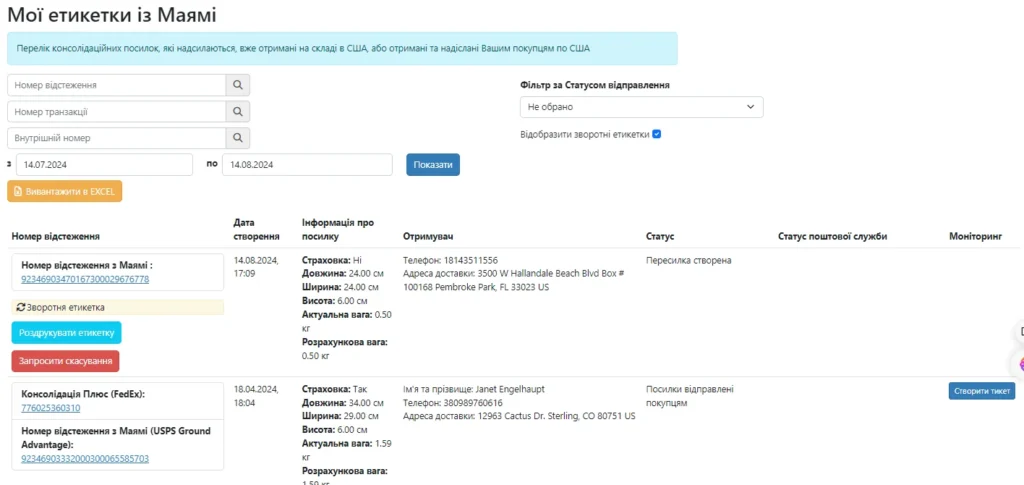
To cancel a return label you created, go to the ‘My Miami labels’ menu item, select ‘Display return labels’ and click the red ‘Request cancellation’ button.
How to create a return label
To create a return label, you need:
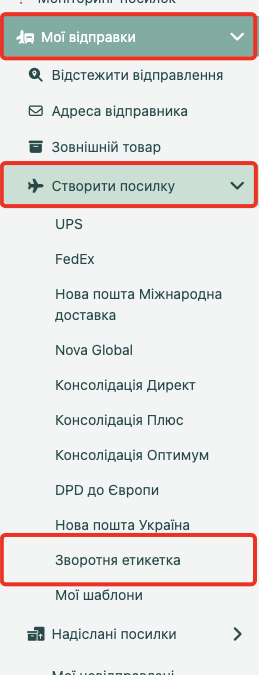
1. In the menu item “Create shipment” select “Return label”.
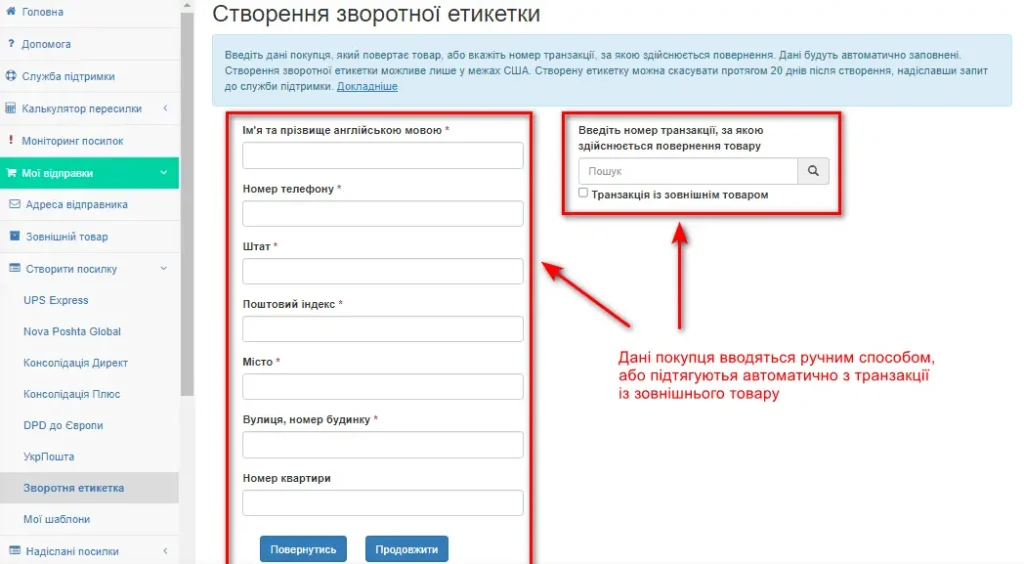
2. Fill in all the required fields. They can be filled automatically from the transaction if you enter its number.
3. Enter the recipient’s address. Shipments go to the Miami warehouse:
Western Bid, Inc.
3500 W Hallandale Beach Blvd
Pembroke Park, FL, 33023
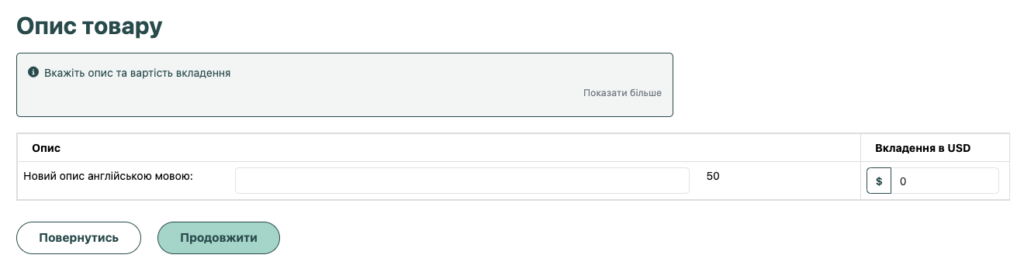
4. Indicate the value of the goods and a description of the contents
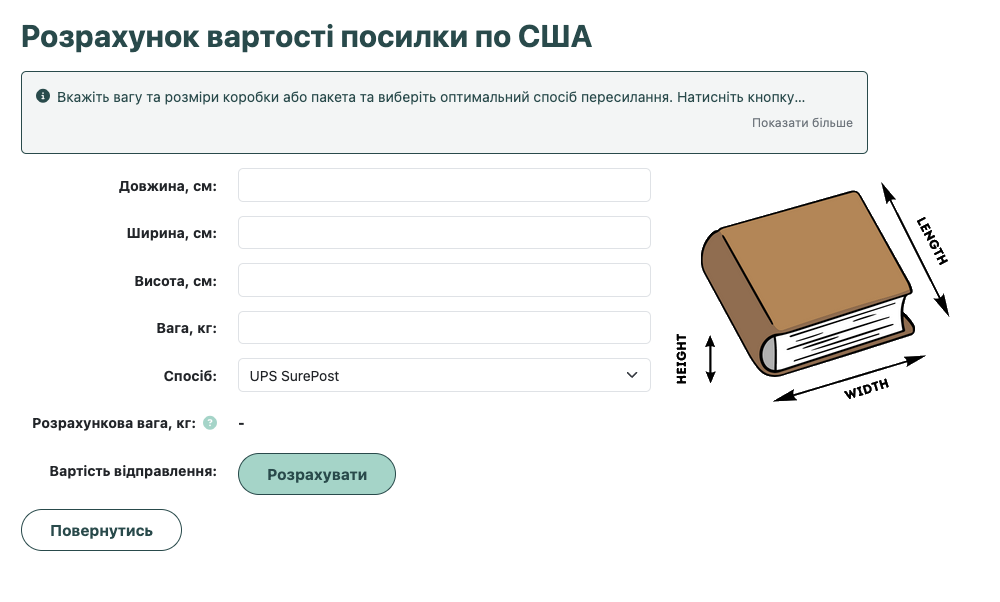
5. You specify the package dimensions (measured by the box) and select the delivery method. The system automatically calculates the cost.
Where can I obtain the NP number when creating a return label for a customer's return?
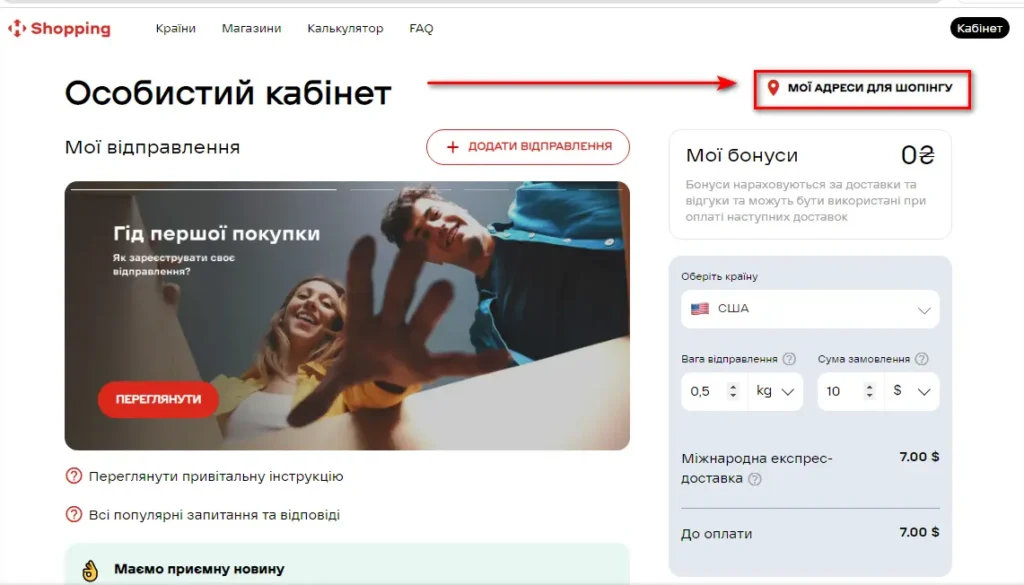
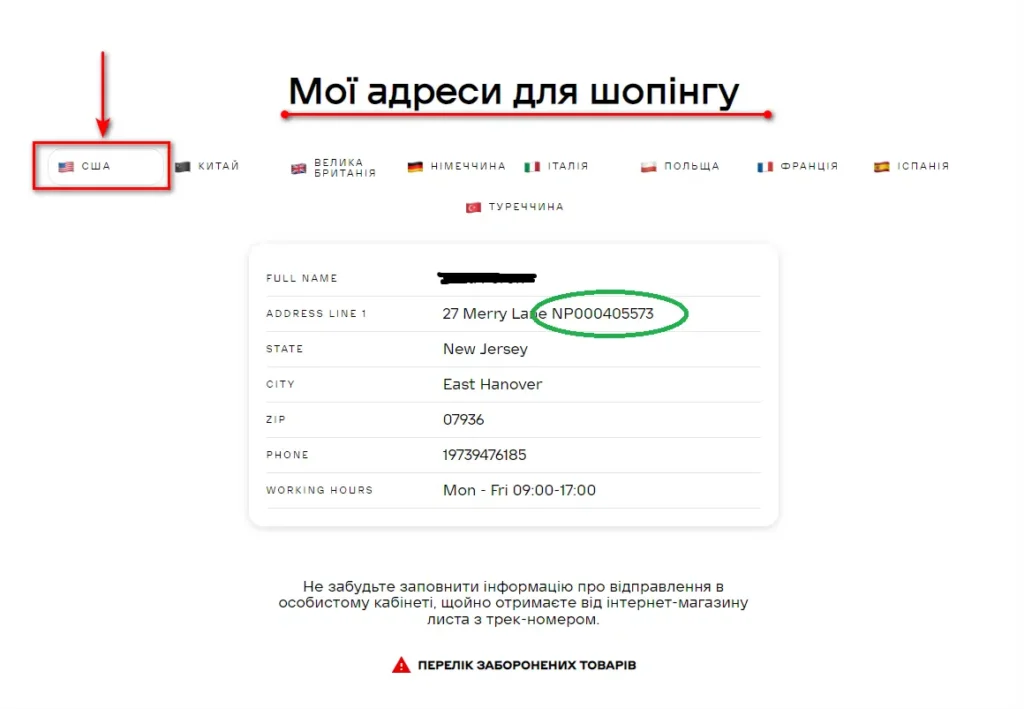
If you need to arrange a return to Ukraine, you can do this via Nova Poshta. To do this you need to register and log in to your account. Go to the “My shopping addresses” section, select the United States.
Your unique NP Shopping number is in the Adress Line 1.
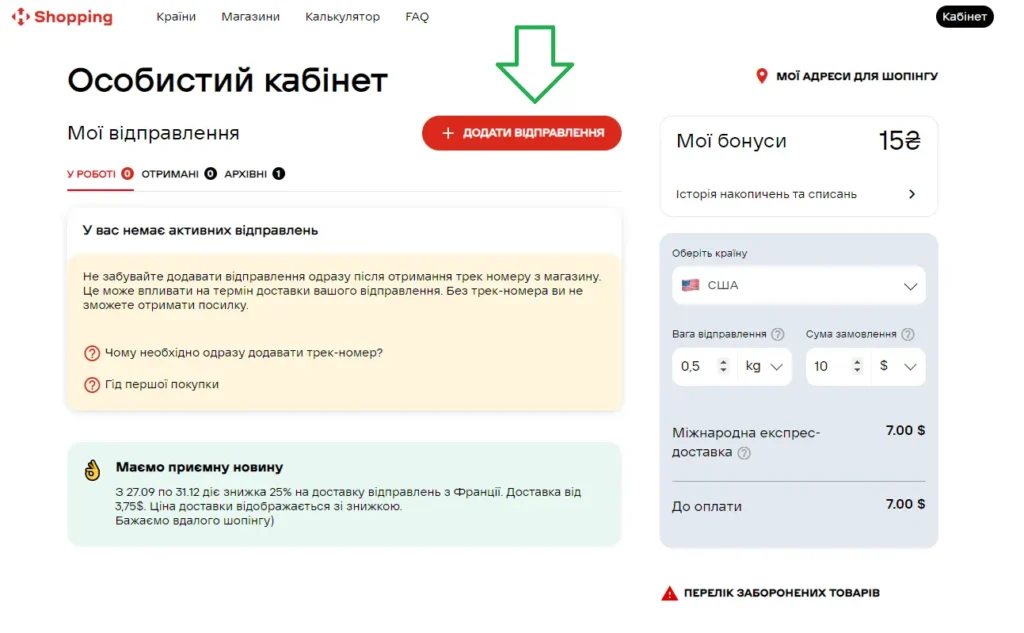
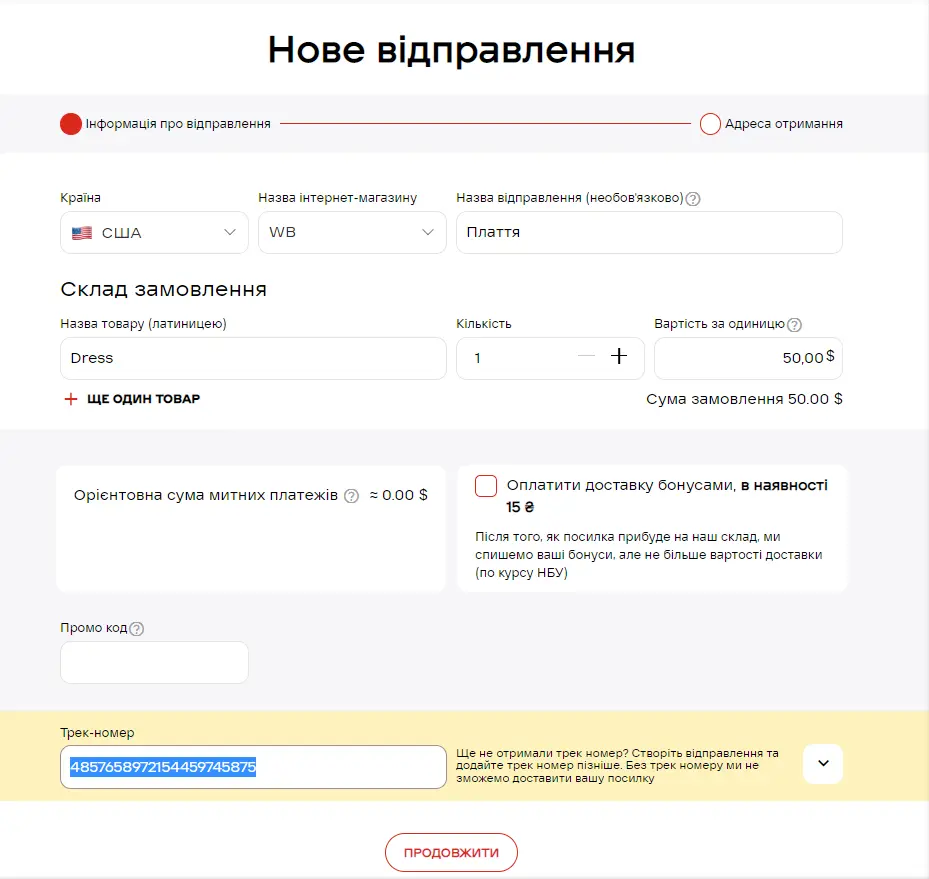
After receiving the return label number, do not forget to add this number to your NP Shopping Personal Account. So that Nova Poshta, after receiving the parcel, could identify to whom it belongs.
Next, you need to fill in the form fields and add a tracking number.
You can view your created returns and print documents in the “Sent parcels”/”My Miami labels” section. Returns are processed via USPS.
Working with the Western Bid return label
- Self-created return label works only for returns from the USA to the Western Bid warehouse or NP Shopping.
- You create the label in the dashboard, specify the warehouse address, cost, description, dimensions, and receive a cost calculation.
- After delivery under the label, the parcel appears in the “Returns warehouse” section, where you manage the returned goods.
What to prepare before creating a return label
- Transaction number of Western Bid from which the item needs to be returned.
- Estimated value of the item and a brief description of the enclosure in English.
- Dimensions of the return box (length, width, height) and approximate weight of the shipment.
- Information about the recipient (you as the seller) and the address of the Western Bid warehouse in Miami or NP Shopping.
Main parameters for the return label
| Parameter | What is required | Where to obtain |
|---|---|---|
| Return direction | Only from the USA to the Western Bid warehouse or NP Shopping. | Buyer country — USA. |
| Warehouse address | Western Bid, Inc., 3500 W Hallandale Beach Blvd, Pembroke Park, FL, 33023. | Article text / user account. |
| Delivery service | USPS (according to the rate chosen at checkout). | Displayed when choosing a shipping method. |
| Creation | Through the ‘Create Shipment’ menu → ‘Return Label’. | Western Bid account. |
Frequently Asked Questions about the Western Bid return label
From which countries can you independently create a return label?
Creating a return label yourself is only available for returns from the USA; for returns from other countries, please arrange the shipment via any courier service to the Western Bid warehouse address.
Where is a package with a return label sent?
Return-label packages are received at the Western Bid center in Miami at Western Bid, Inc., 3500 W Hallandale Beach Blvd, Pembroke Park, FL, 33023, or at the NP Shopping address if you chose that option.
How to cancel a created return label?
To cancel the label, open the section «My Miami labels», enable «Display reverse labels» and click the red «Request cancellation» button.