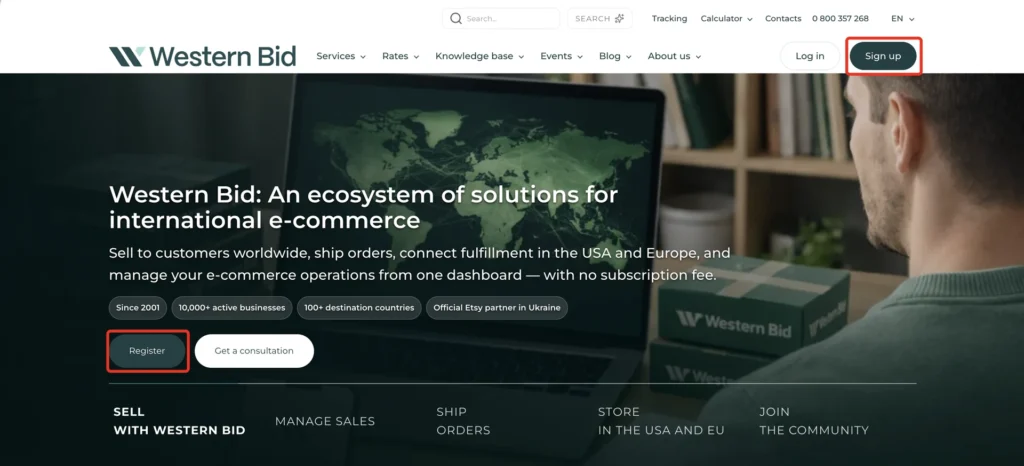
Registration at Western Bid consists of two steps: creating an account on the site and email verification, and then filling in personal data (date of birth, phone, address) in your personal account.
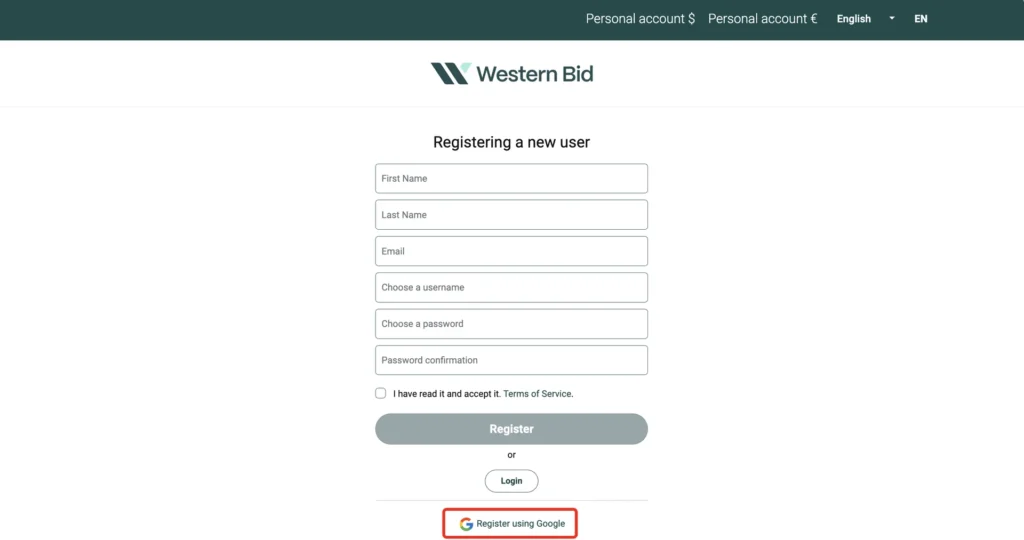
You can register on our site via Google, but in this case your personal data in your Google account must be genuine, corresponding to real information about you. For many people, this is not the case, so we recommend registering using email.
Step 3
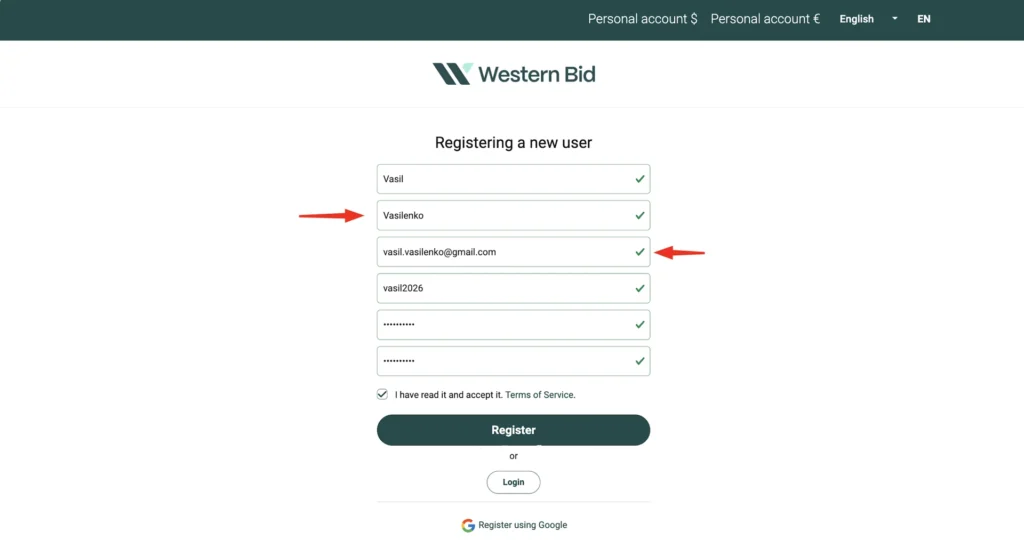
Enter your first name and last name in Latin letters, enter your current email address and choose a password.
Step 4
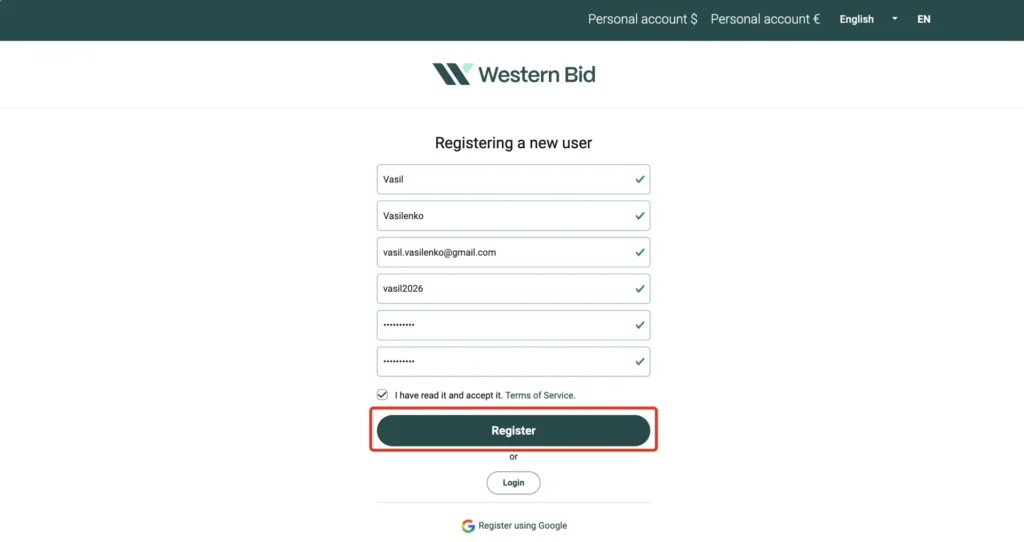
Tick the box (after reading the Terms of Service) and click “Register”.
Step 5
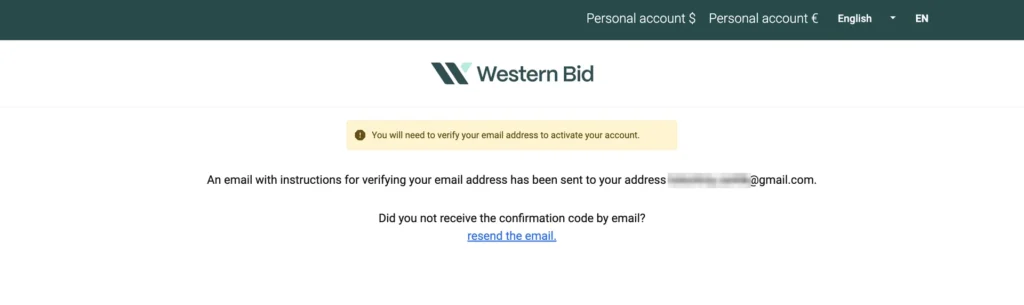
The Western Bid system will ask you to confirm your email.
Step 6
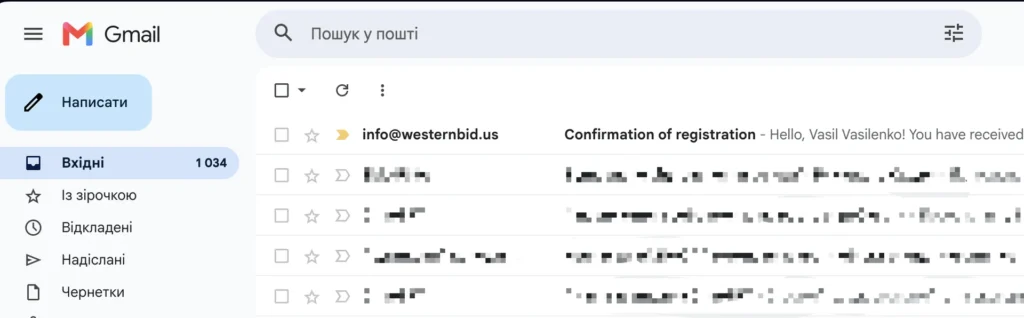
Check your email and find the email from Western Bid.
Step 7
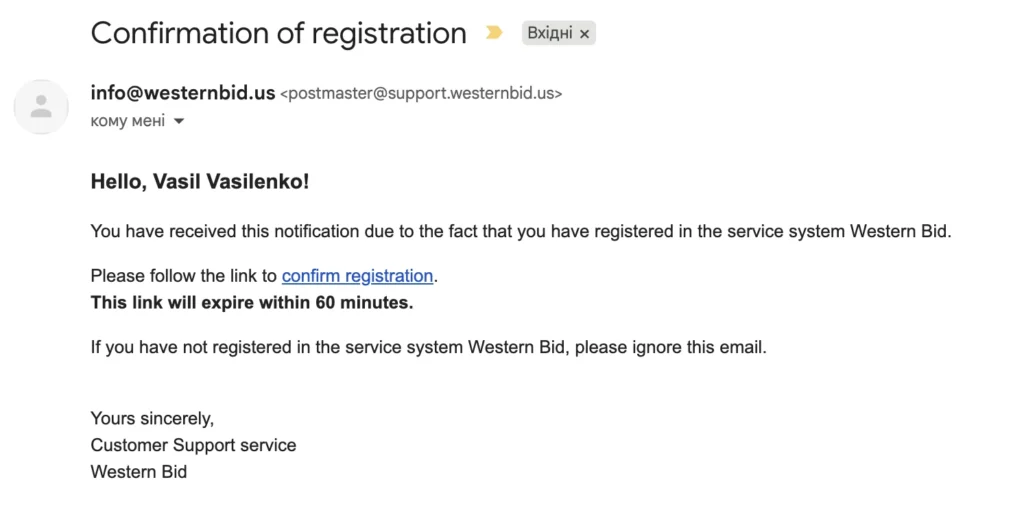
Click the link in the email.
Step 8
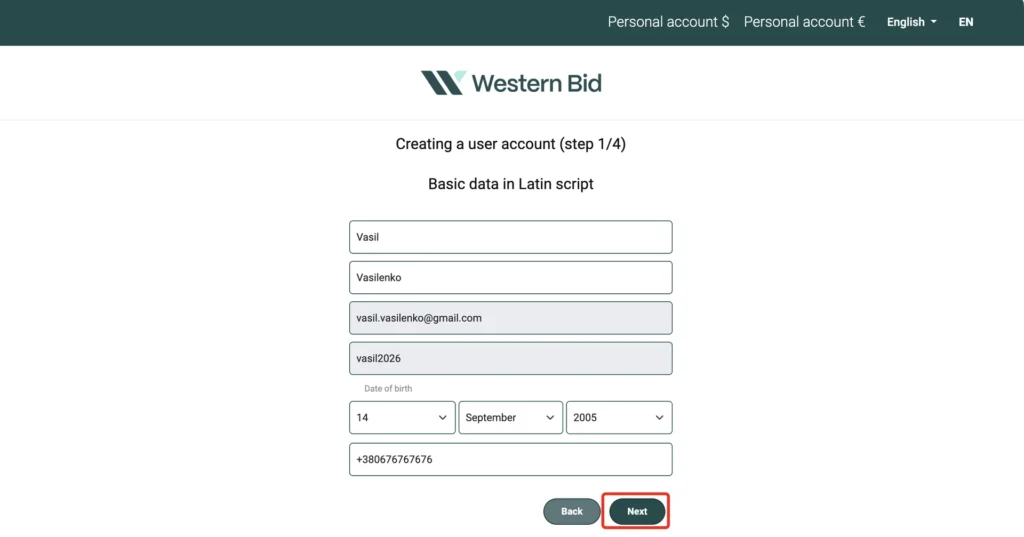
Enter your date of birth and the current phone number.
Step 9
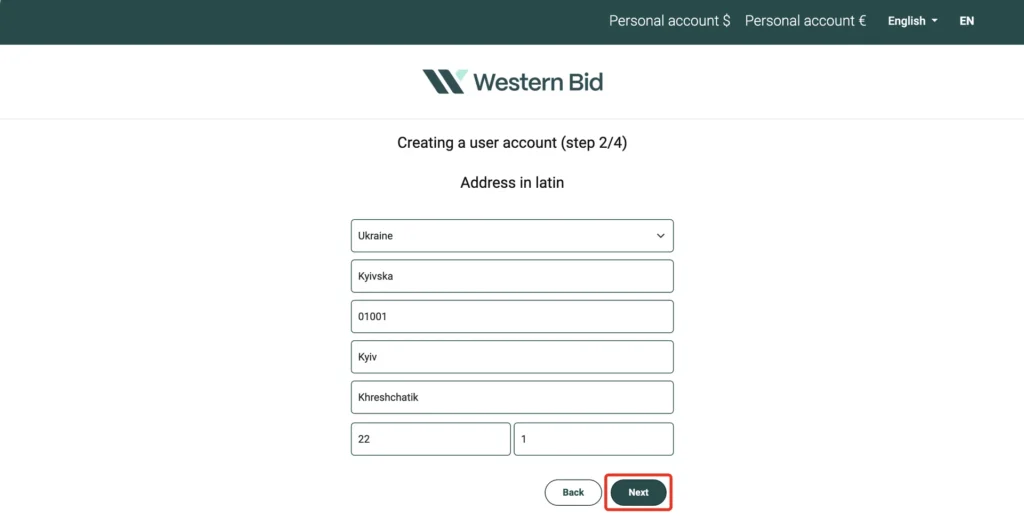
Please enter your registered address (as it appears in your documents) in Latin letters.
Step 10
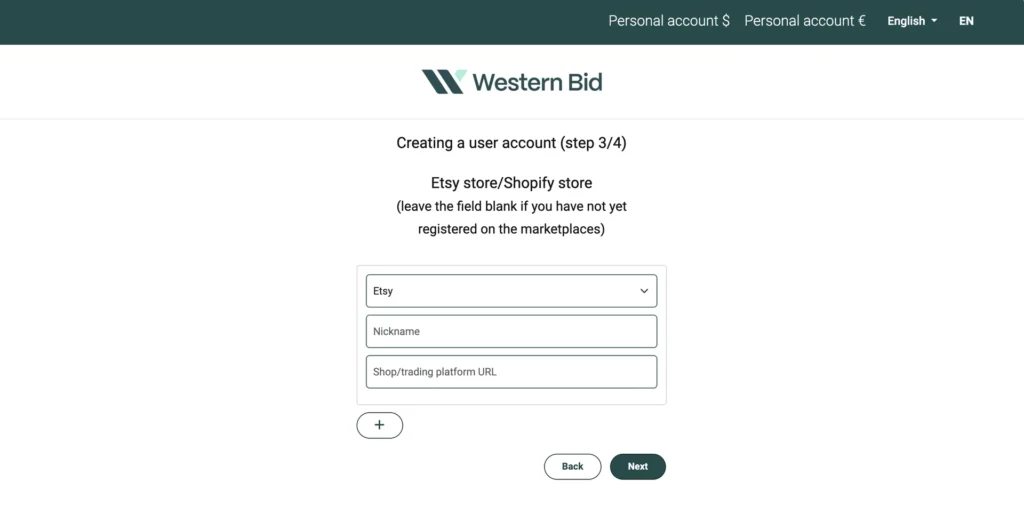
If you sell products, please provide your login and/or a link to the store (optional).
Step 11
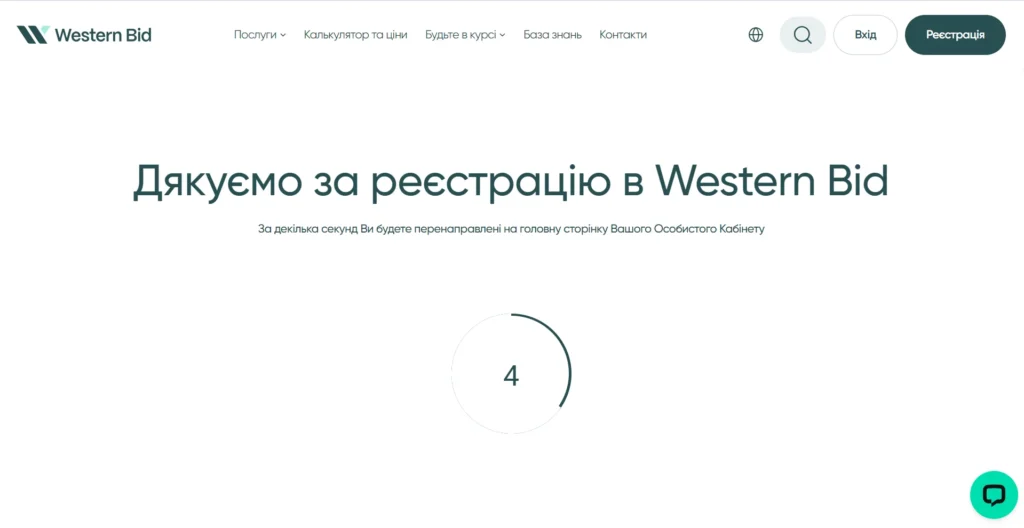
Congratulations! You have completed the registration stage. The system will redirect you to your Personal Cabinet.
Registration and verification: what’s the difference
Stage
What you do
When it’s required
Account registration
Create a login and password, confirm your email, and fill in the basic details in your account.
To access your personal account and settings.
Document verification
Upload your passport/ID, TIN, an agreement, and a document proving your address.
Before the first settlement of funds and before connecting stores/sites.
Frequently Asked Questions about registering on Western Bid
Is it necessary to register via Google?
No, you can register by email. If the data in your Google account is incorrect, it’s better to fill everything manually via email.
What to do if the confirmation email didn’t arrive?
Check the Spam folder and the Promotions tab. If you don’t see the email, try sending it again from the login form or contact support.
Can I change the address after registration?
Yes, but the address you provide must match the address on the documents. If you change the address, you need to update the documents for verification.
When do I need to upload documents?
Documents must be uploaded before the first settlement of funds, as well as before connecting your website or store to the payment system. Sending parcels through the Western Bid system may be carried out without account verification.
Founder, owner and CEO of Western Bid — a leading e-commerce platform in Ukraine since 2001.
Who is this article for?
✓ For new sellers who do not yet have an account with Western Bid and want to receive payments for goods from Etsy, eBay, Shopify, and other marketplaces.
✓ Users who registered but did not complete email verification or did not fill in their personal details.
✓ For those who want to avoid mistakes when filling out the form and to register immediately in Ukrainian with the correct address in Latin letters.
What is still stopping your sales abroad?
Learn about the 5 main barriers — based on 25 years of Western Bid’s experience in working with international e-commerce.
A link to the video recording will be sent to your email.
Request for feedback
Please provide your contact information. Our manager will contact you shortly and advise you on your questions. Expect a call from 10:00 to 18:00 on business days.